Features
Everything a spa & nail salon needs, from bookings to the books
14 modules, 102 features, on a computer and on a phone. Each module below comes with real screens of the app.
- 14
- modules
- 102
- features
- 3
- languages
- 24/7
- support
Pick a module to jump to it
77 features
Running the day
From opening, greeting clients and taking money to closing the books.
Scheduling
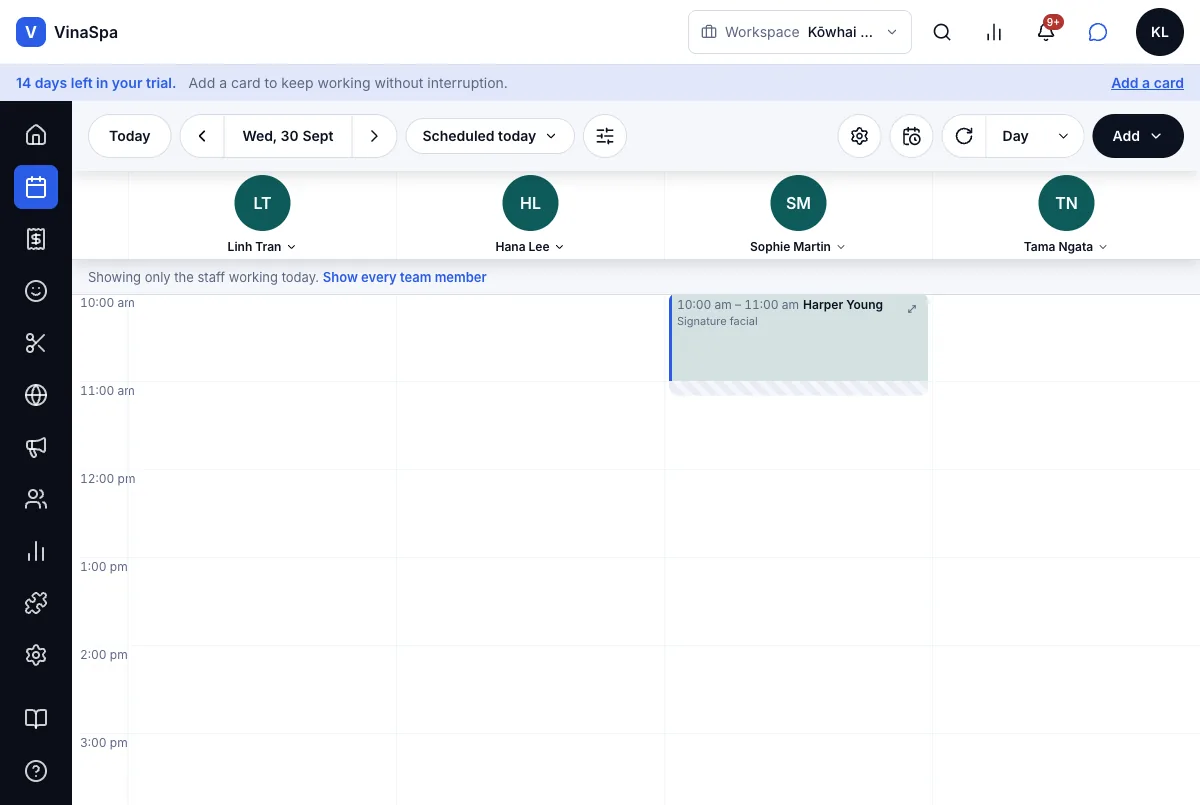
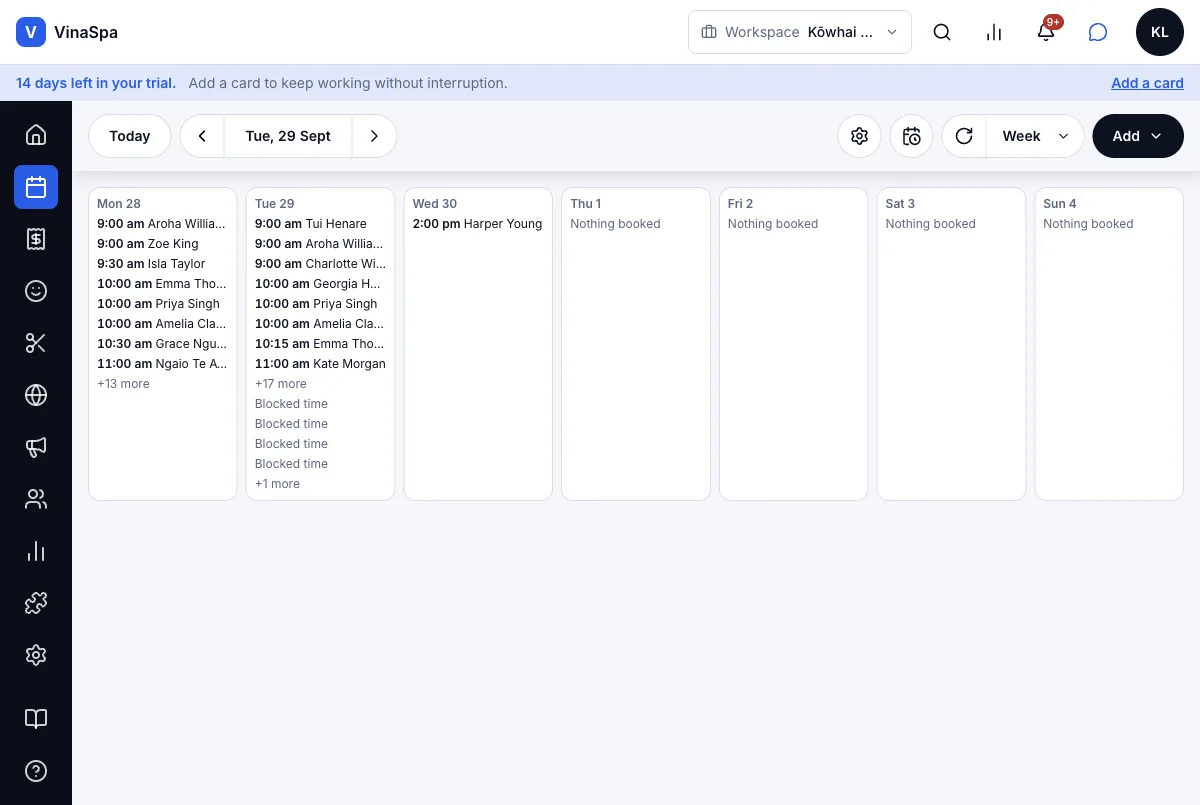
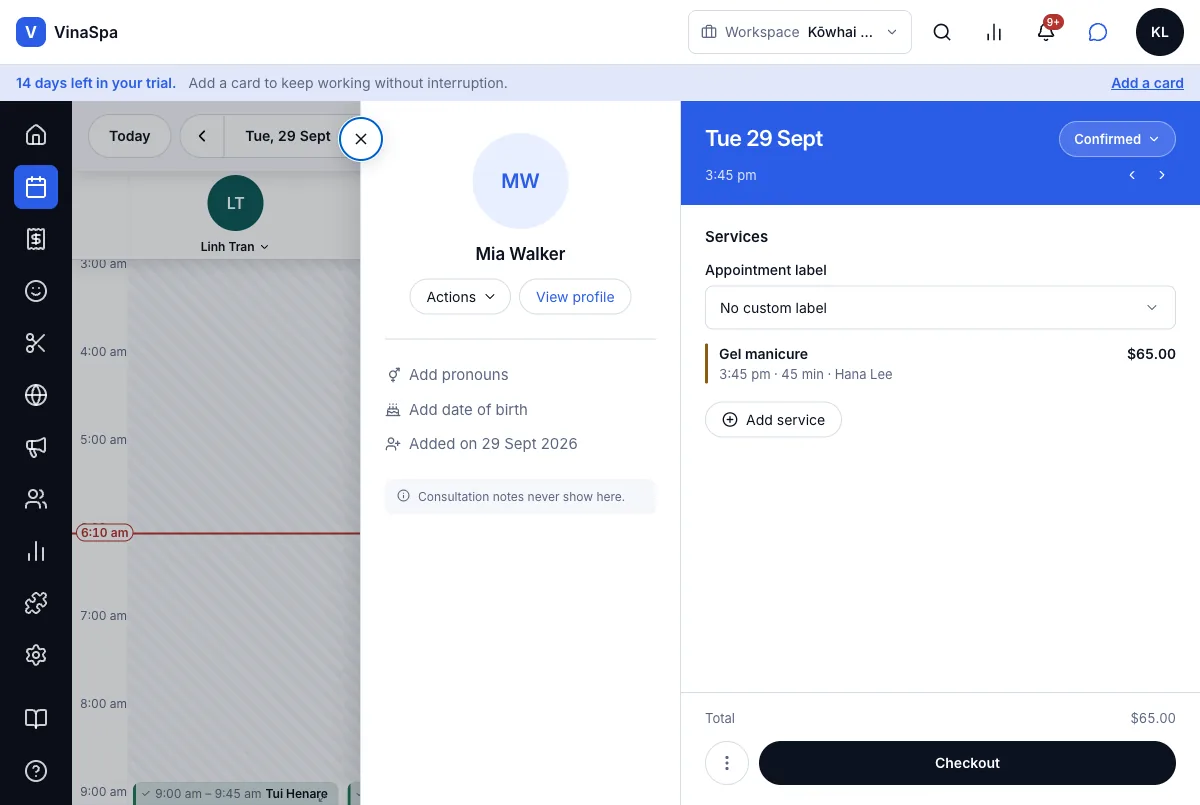
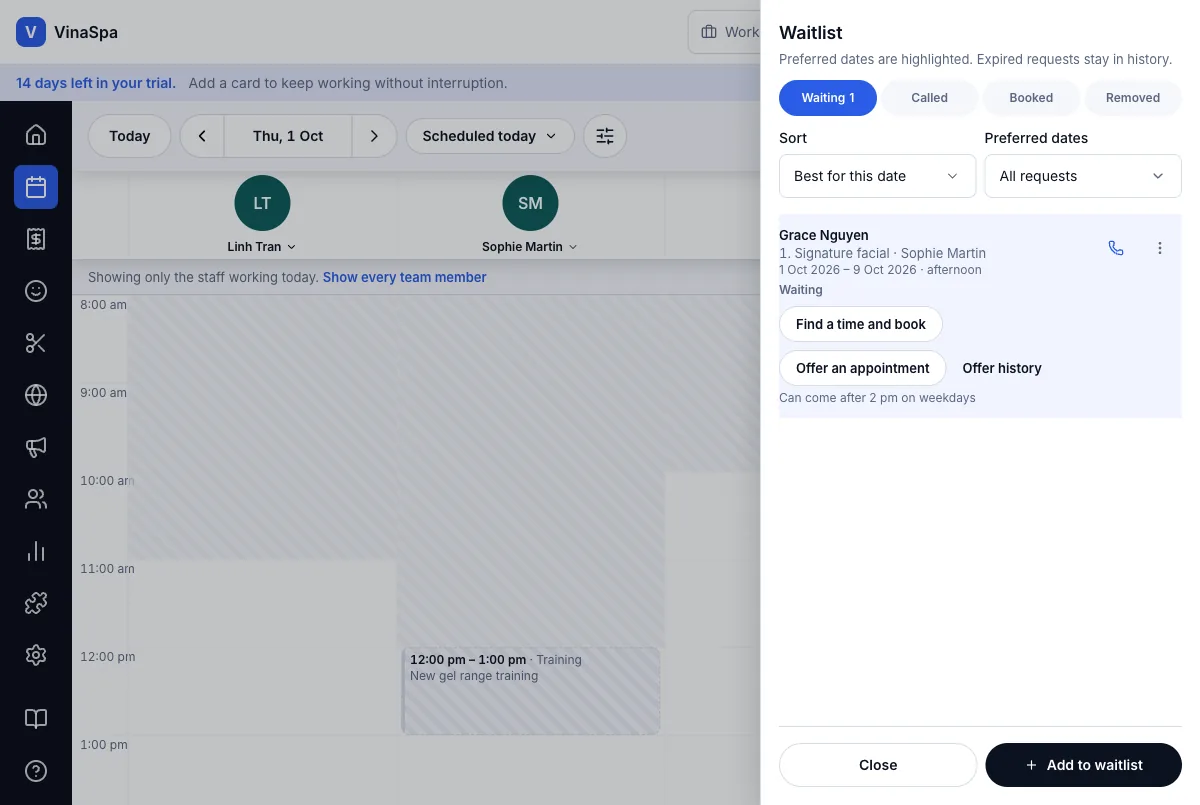
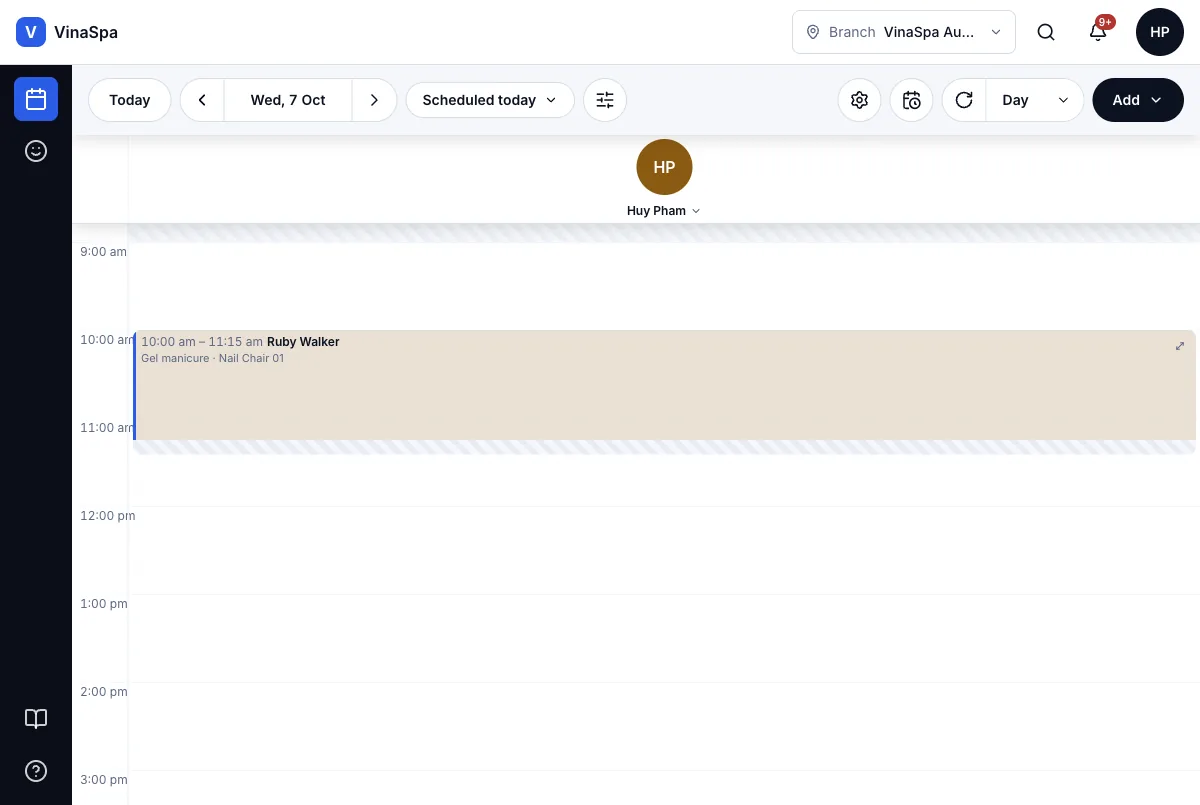
The calendar the whole salon works from: bookings, walk-ins, groups, statuses, breaks, rosters, closed days and the waitlist.
- Book, reschedule and cancel appointments
- Calendar views: day, 3 days, week, month
- Group bookings (several clients, one time slot)
- Walk-ins, placed in the next free slot
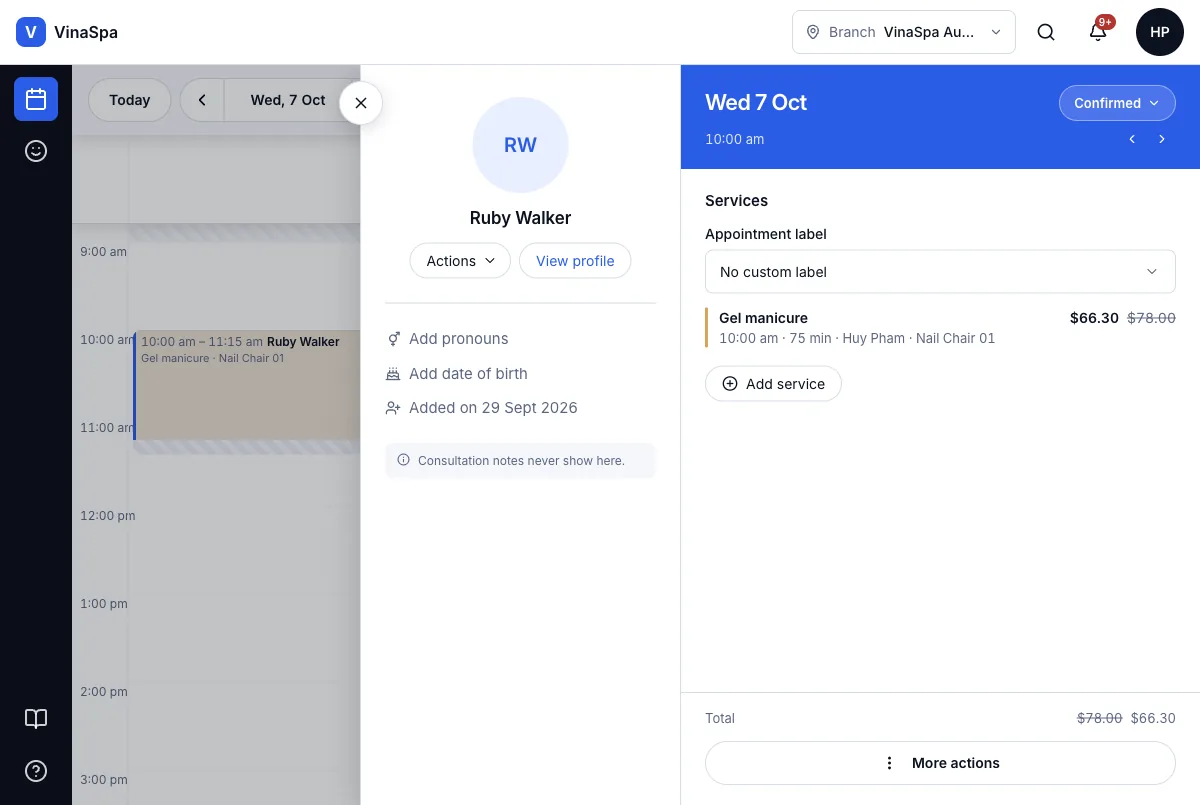
- Visit status: arrived, started, finished, no-show
- Blocked time (breaks, training, maintenance)
- Weekly rosters and salon closing days
- Waitlist, with called and booked status
- Multi-criteria calendar filters
- Chairs, rooms and equipment cannot be double-booked
- Searchable appointment list with reference codes
- Export the appointment list to CSV
- Save a filter to reuse
Sales and till
Taking money: checking out a booking, selling over the counter, gift cards, packages and memberships, refunds, fees, and closing the day.
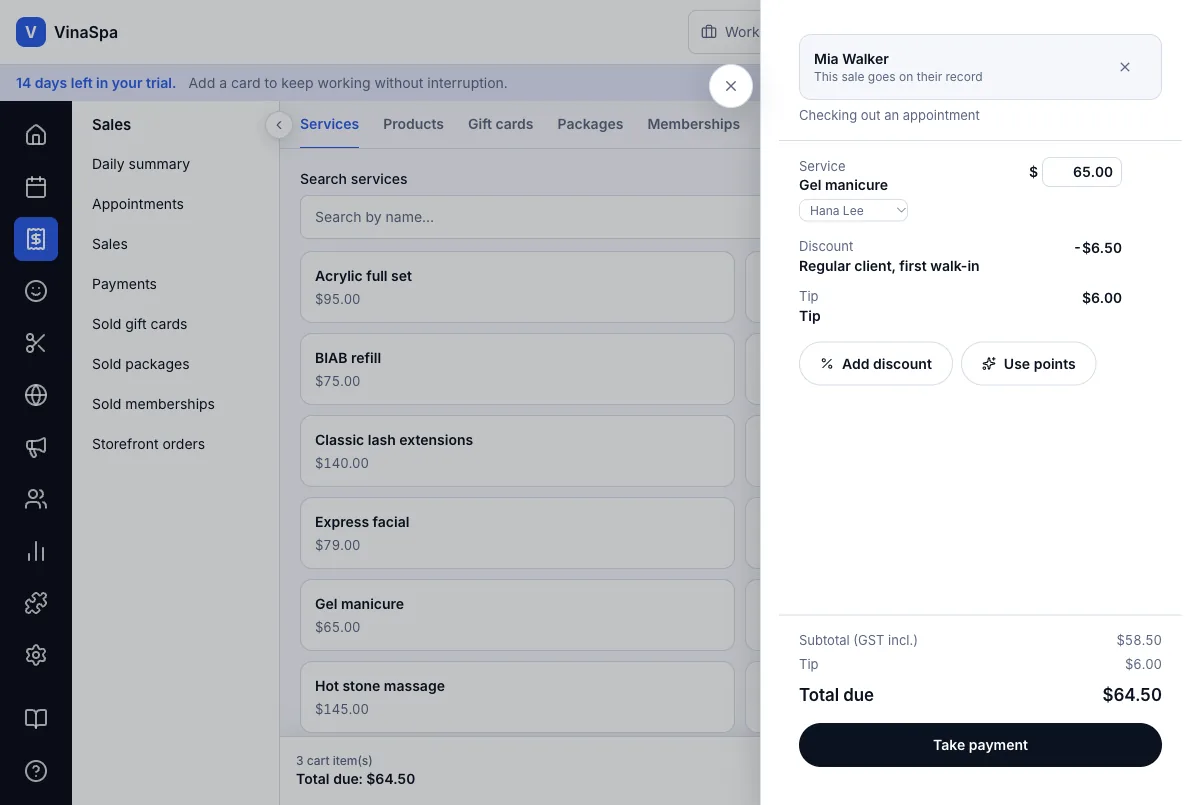
- Counter sales, split across several payment methods
- Quick sale, with no invoice attached
- 15% GST split out of a tax-inclusive price, the NZ way
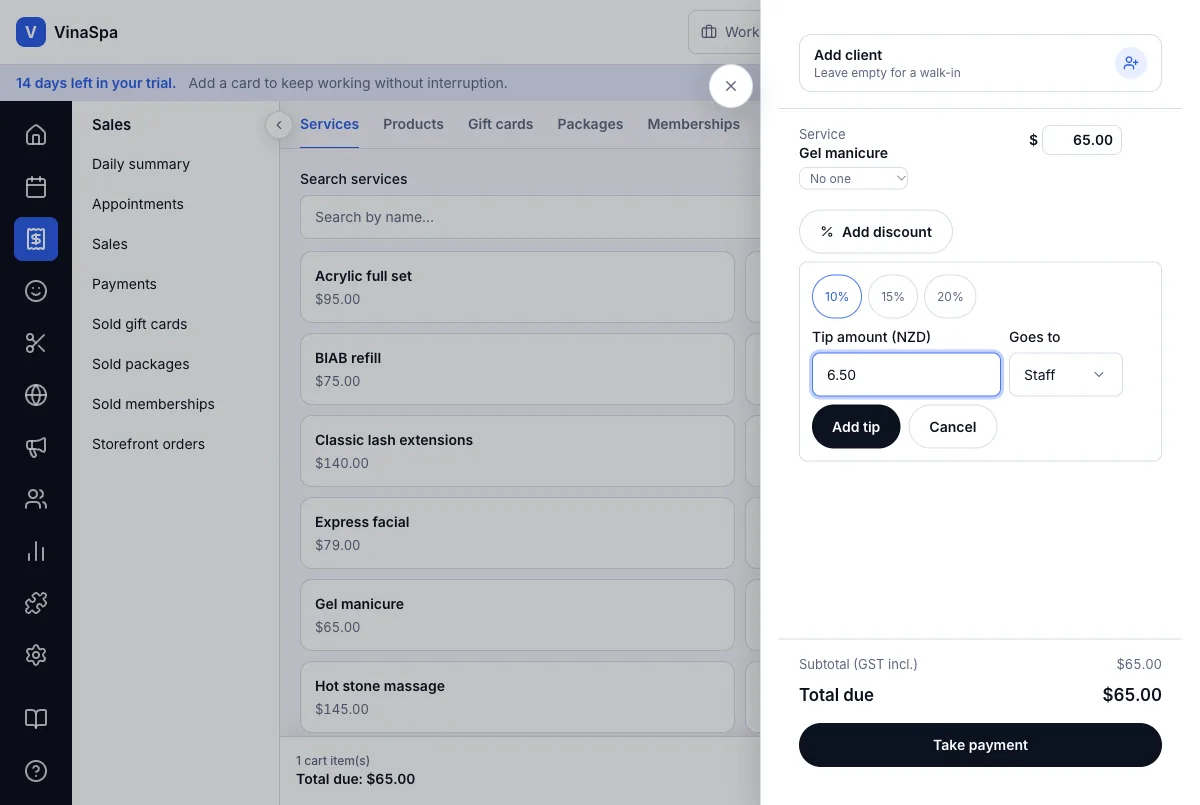
- Discounts, permission-controlled and requiring a reason
- Tips, kept out of revenue
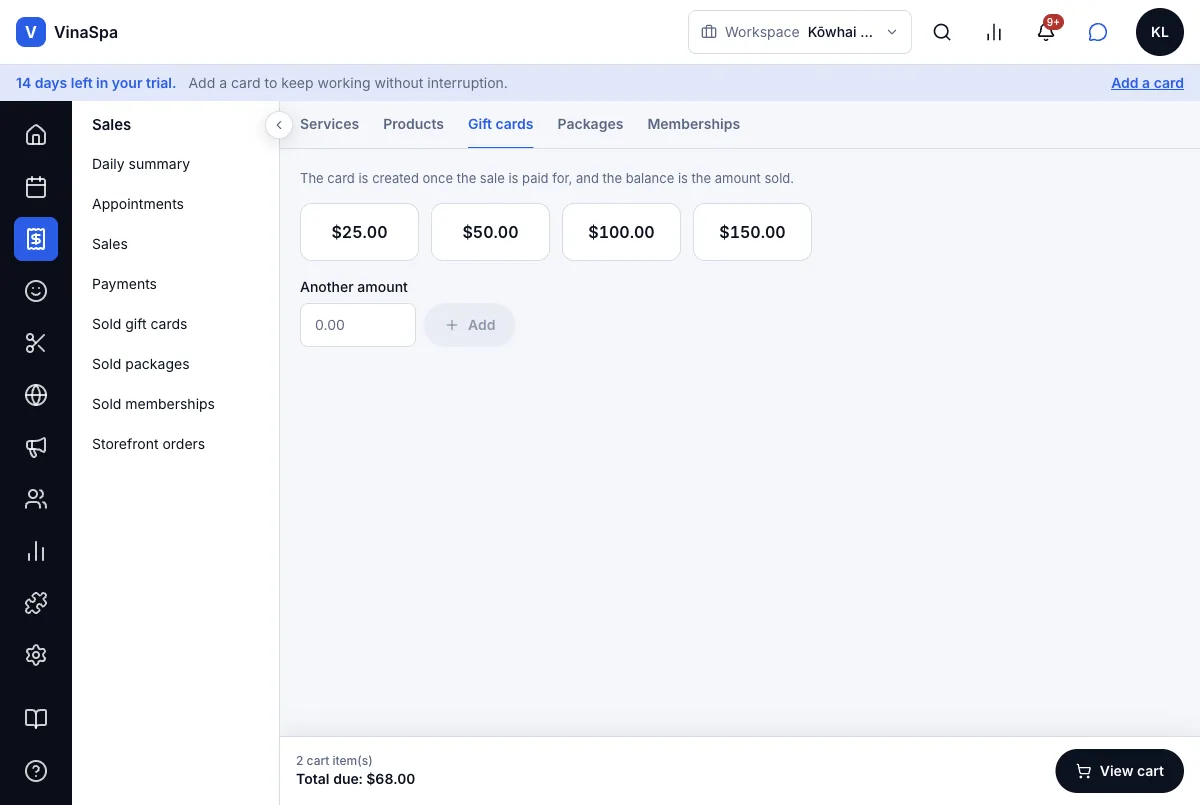
- Sell and redeem gift cards
- Sell prepaid packages and spend them at the till
- Sell memberships
- Refunds, reversing all three ledger legs
- Late-cancellation and no-show fees
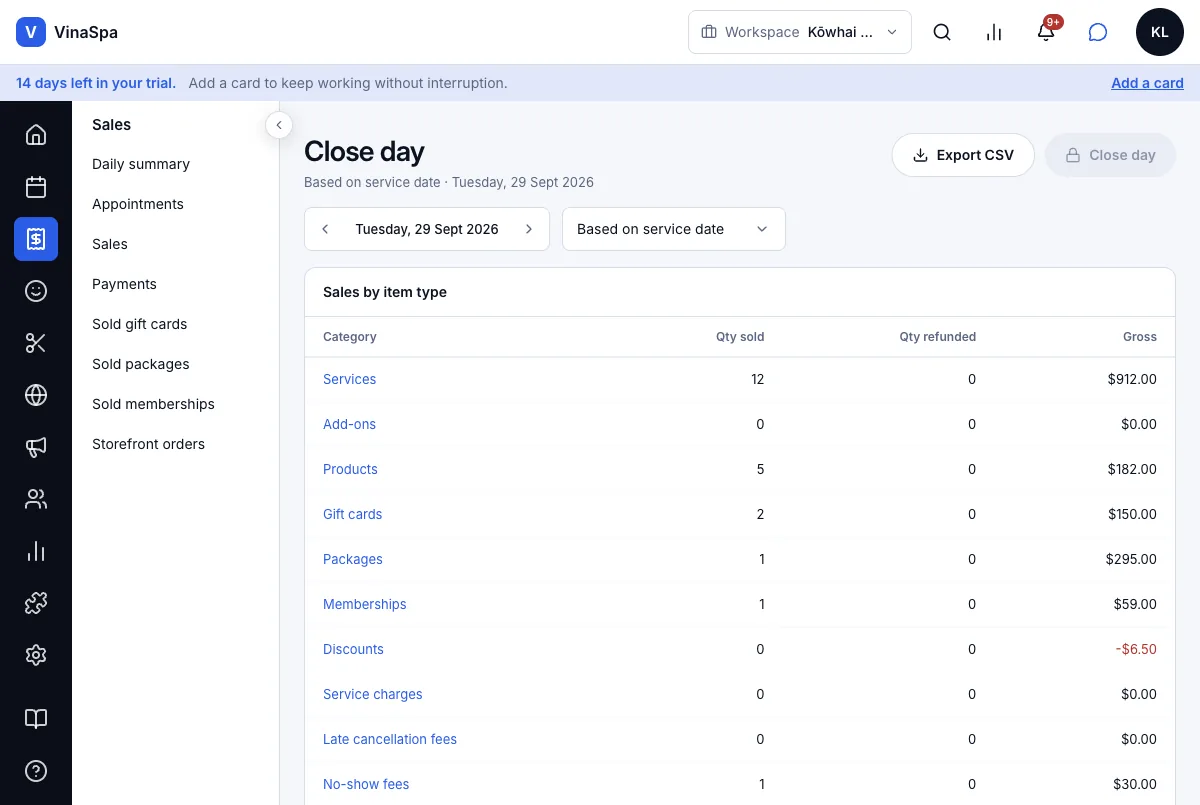
- Close the day, count the cash, lock the books
- Reopen a locked day, with a reason and an audit trail
- Export the day's summary
- Staff commission and payroll (partly)
Clients
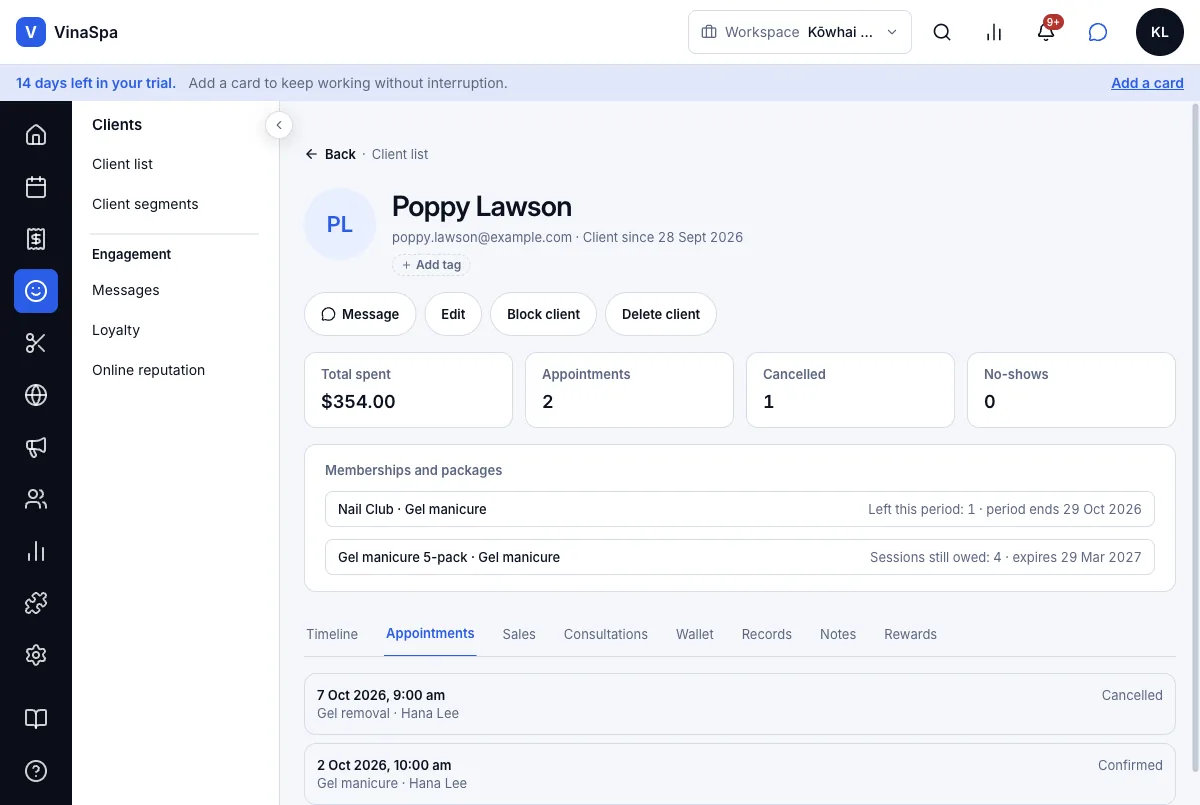
Everyone who comes in: their details, history, prepaid balance, allergies and patch tests, tags and segments, reviews and loyalty points.
- Find a client by name, email or phone
- Full client record: date of birth, referral source, address, emergency contact
- Client wallet: gift card balance plus remaining sessions
- Treatment history and spending history
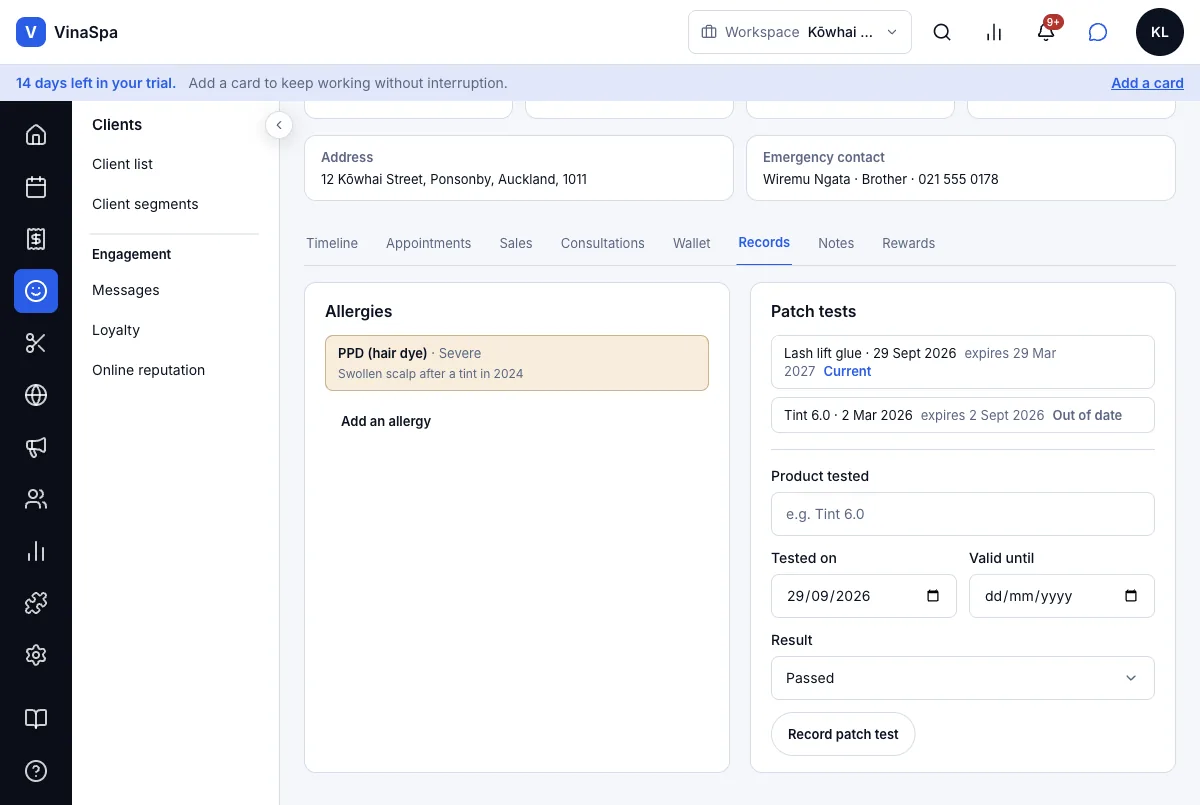
- Allergy and medical notes
- Patch tests, which read as absent once expired
- Warns the staff member before the treatment starts
- Block a client, and genuinely block them on the online booking page too
- Client tags
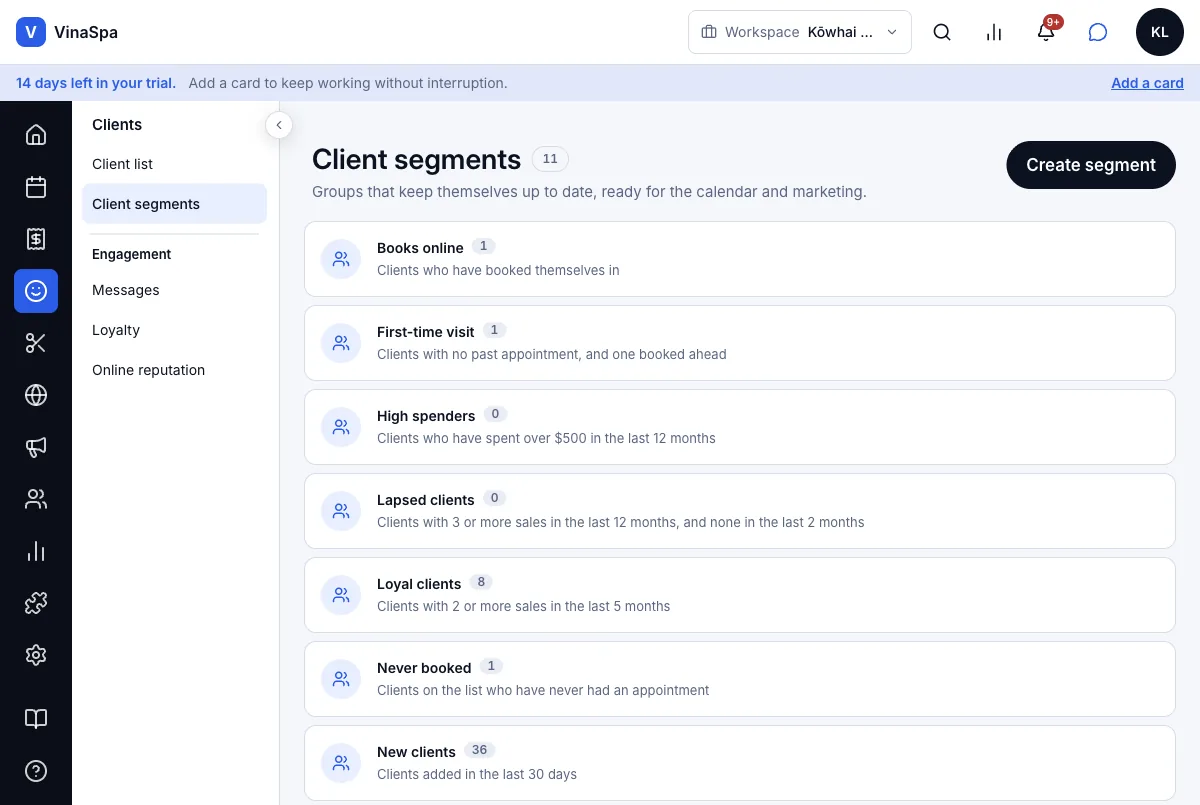
- Self-updating client segments (new, lapsed, birthdays and so on)
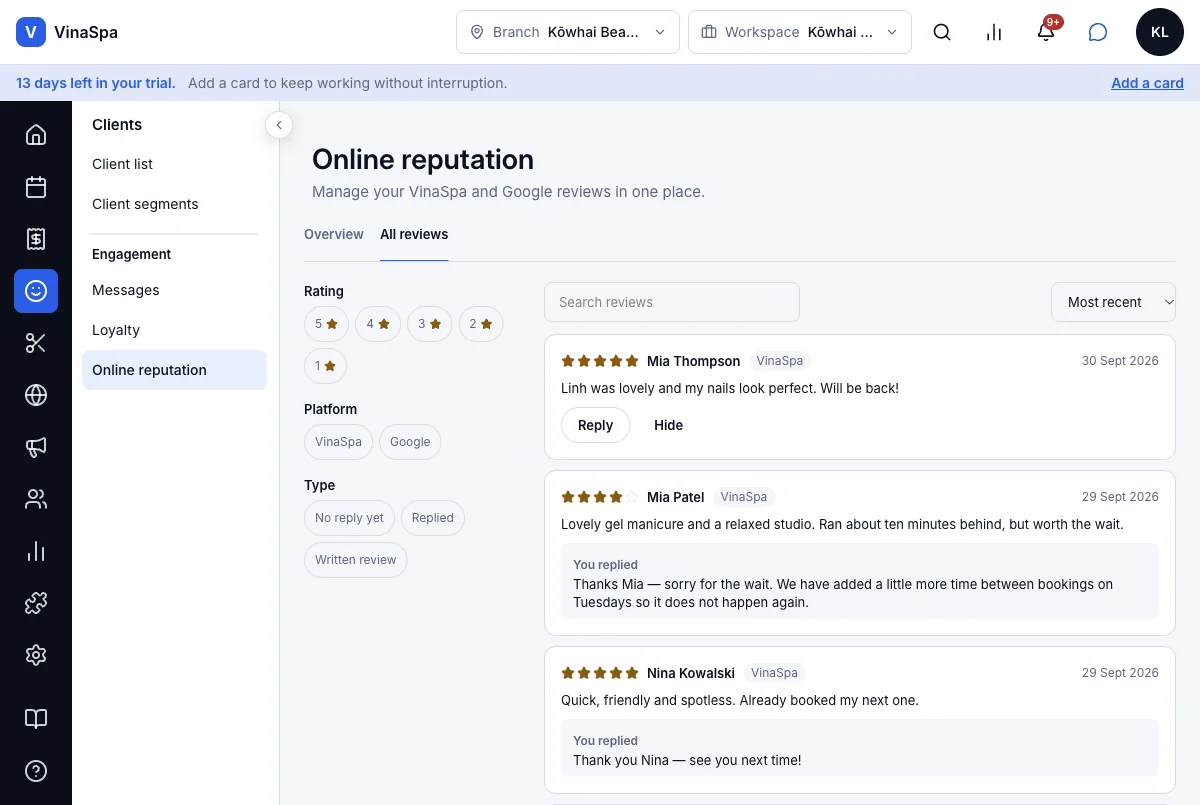
- Client reviews, with salon replies
- Duplicate detection when adding a client
- Export the client list to CSV
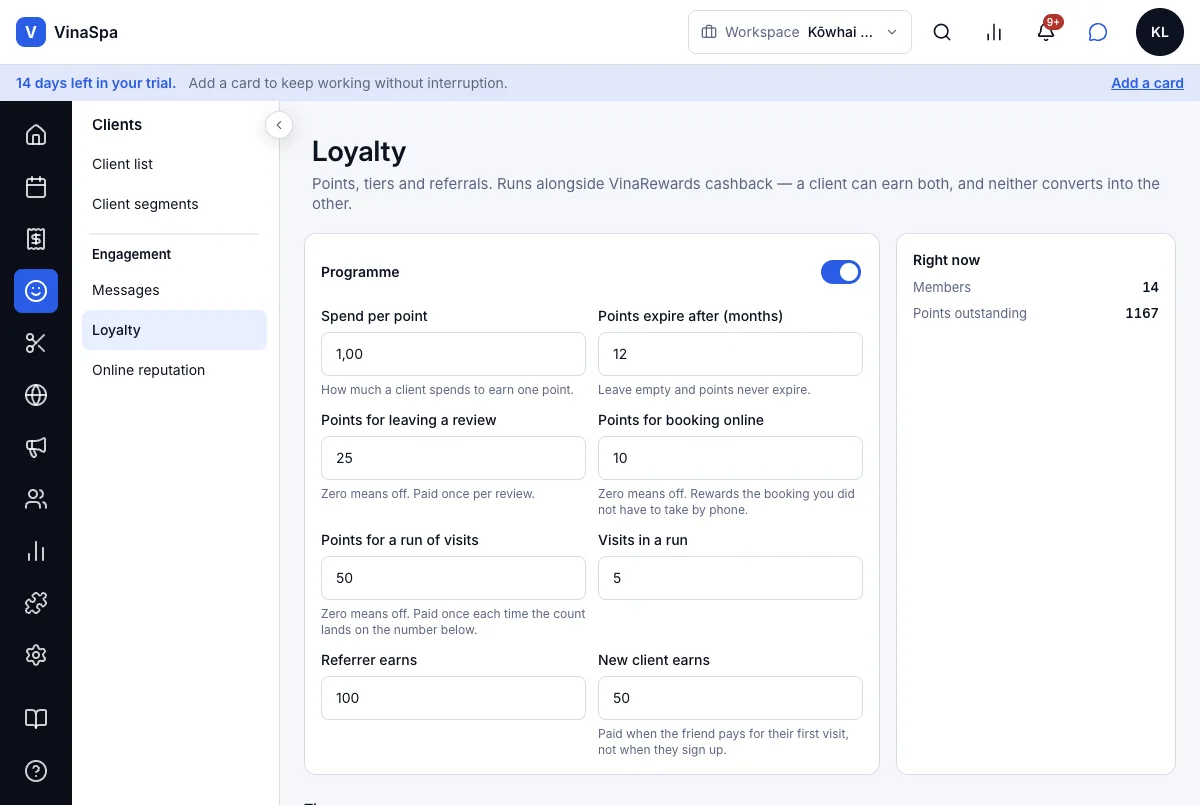
- Loyalty points
Online booking
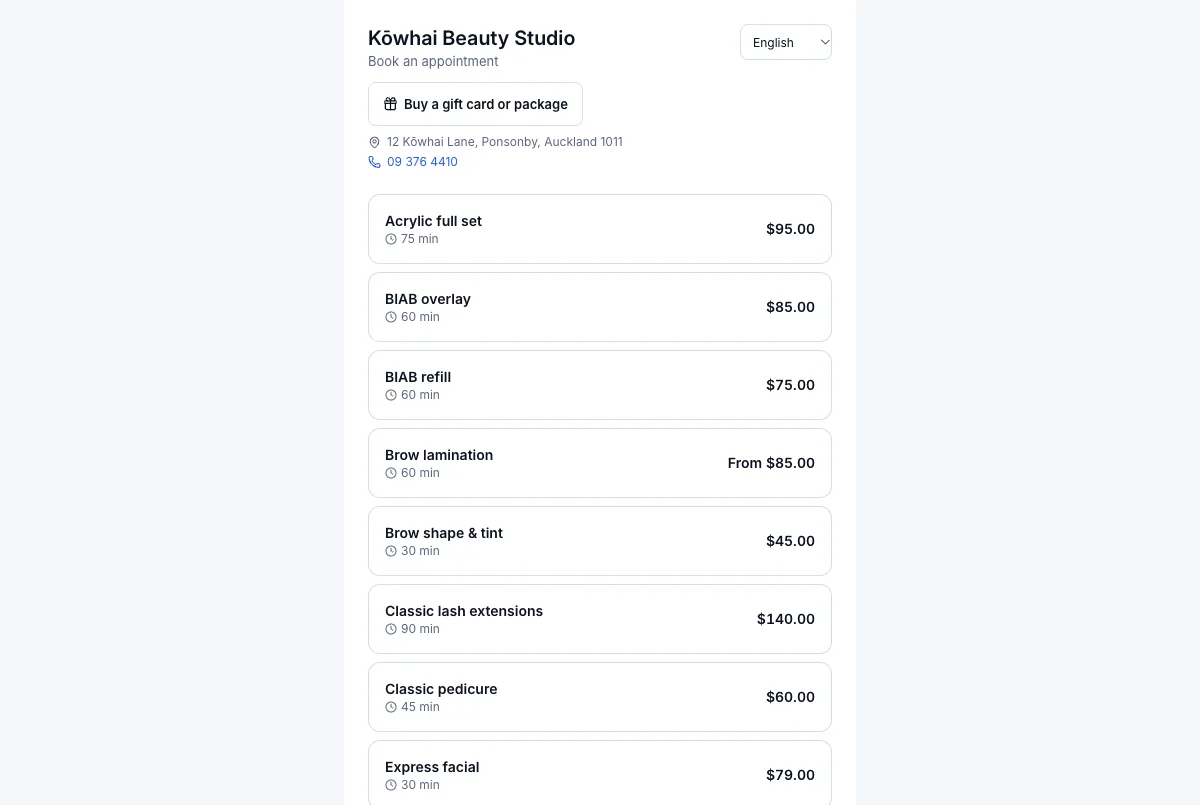
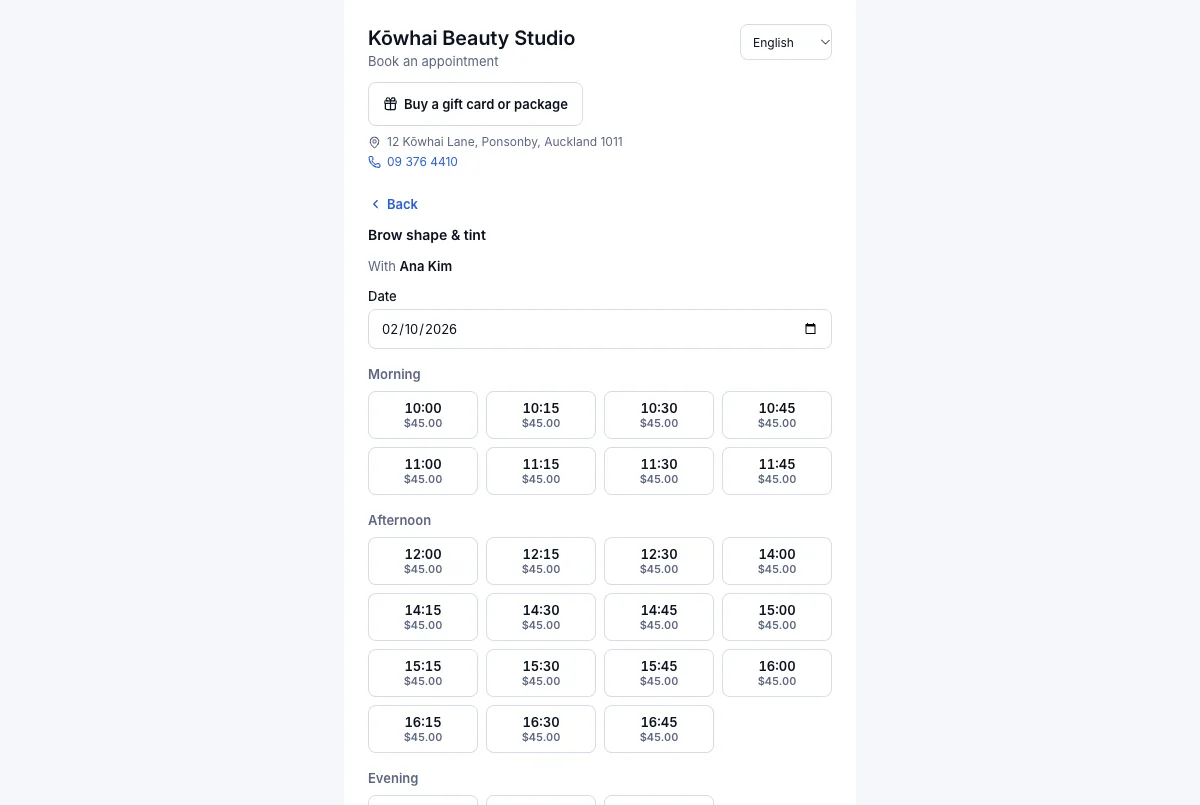
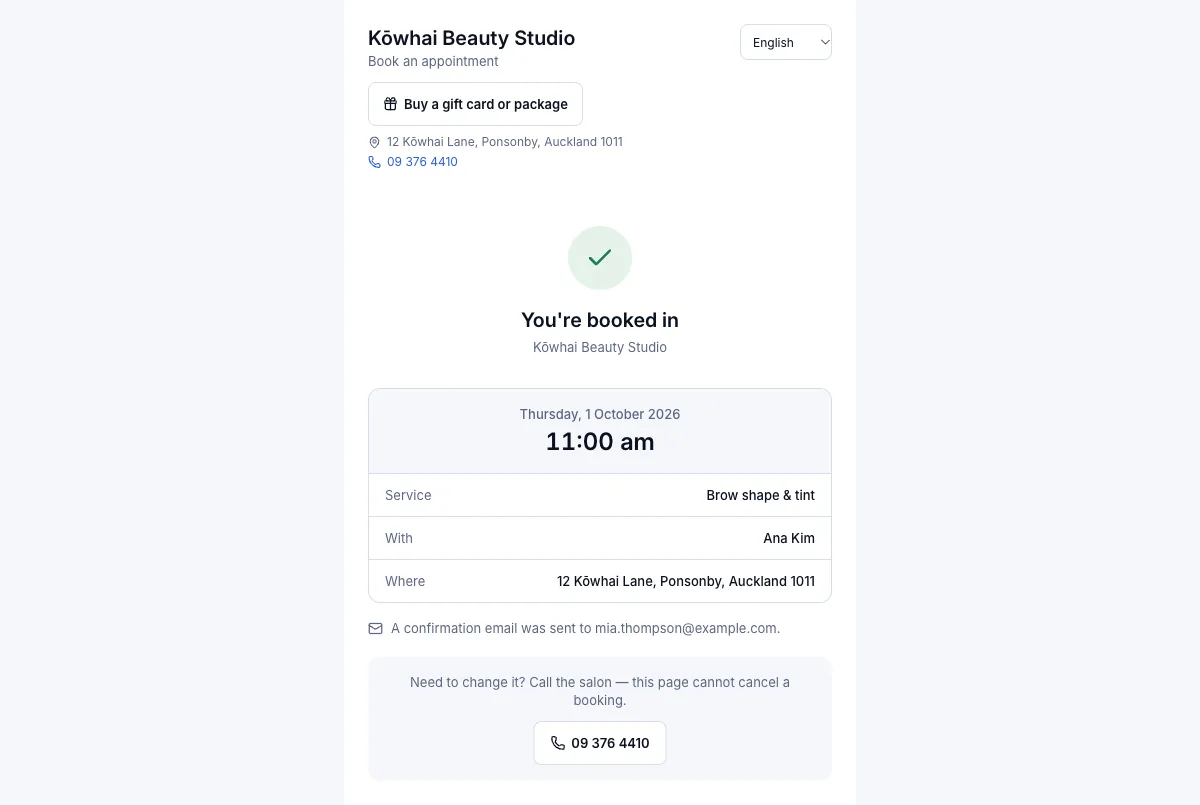
A booking page under the salon's own name and address, where clients pick the service, the person and the time themselves, and an email the moment they have.
- The salon's own booking page
- Pick a staff member, or "anyone available"
- Shows only the services the salon allows online
- Limits on booking too soon and too far ahead
- A review page a client can open once
Client notifications
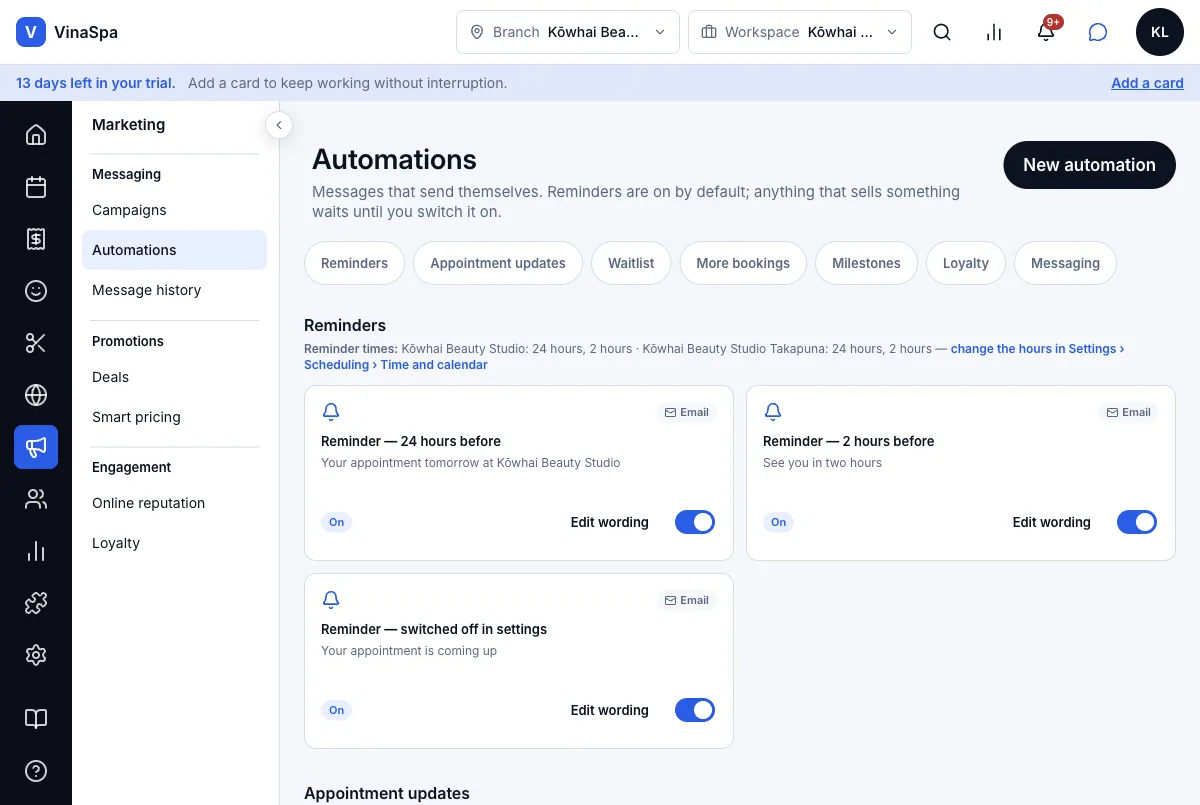
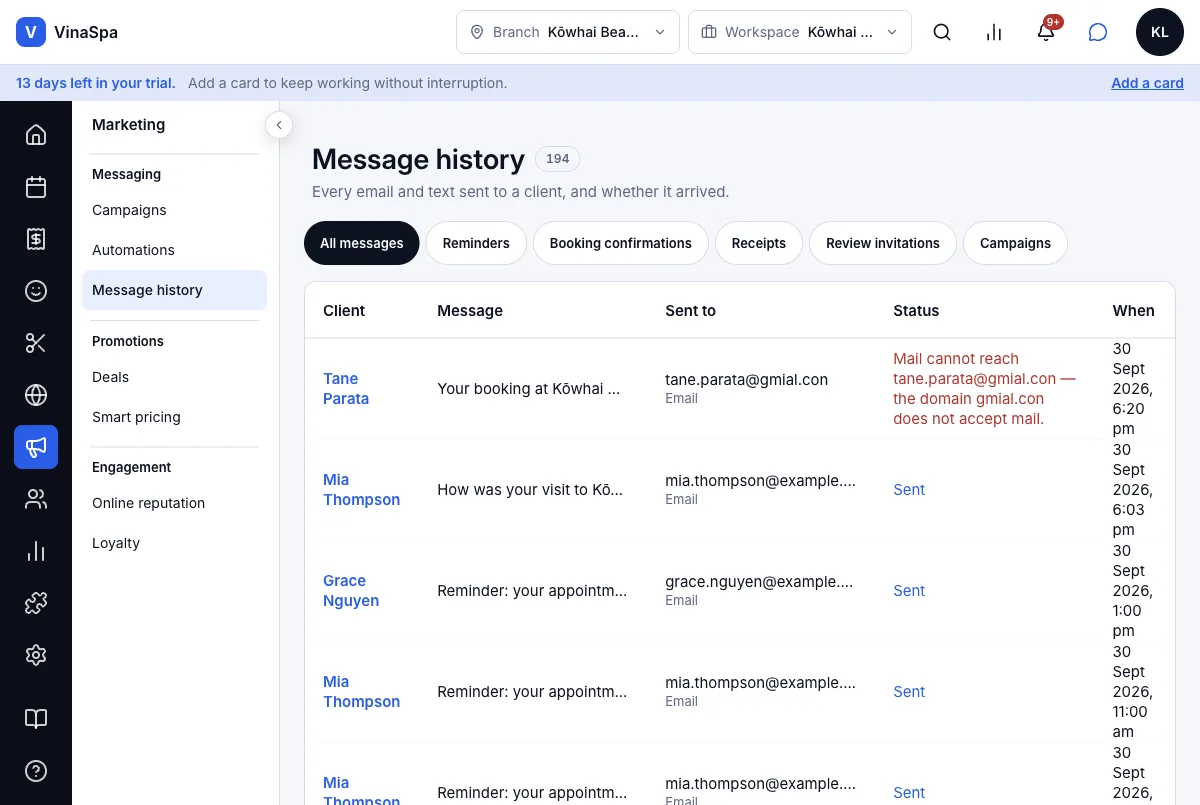
The emails MySpa sends clients on the salon's behalf, confirmations, reminders, receipts and review invitations, and a record of every one, including those that did not arrive.
- Confirmation email the moment a client books online
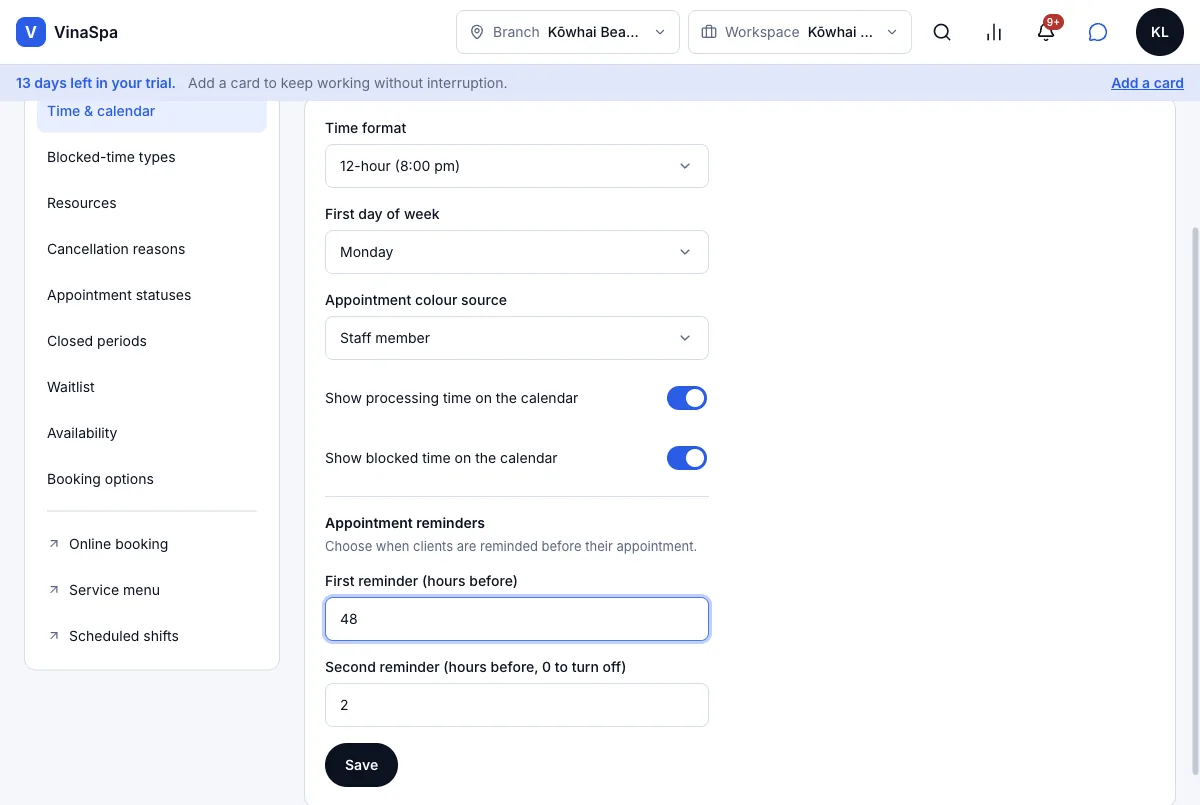
- Two automatic reminders (24 hours and 2 hours before)
- The salon sets how many hours ahead to remind
- Send the client a receipt after payment
- Invite a review after the visit
- Review everything sent to each client, failed emails included
- Never sends twice, however many times it runs again
Client inbox
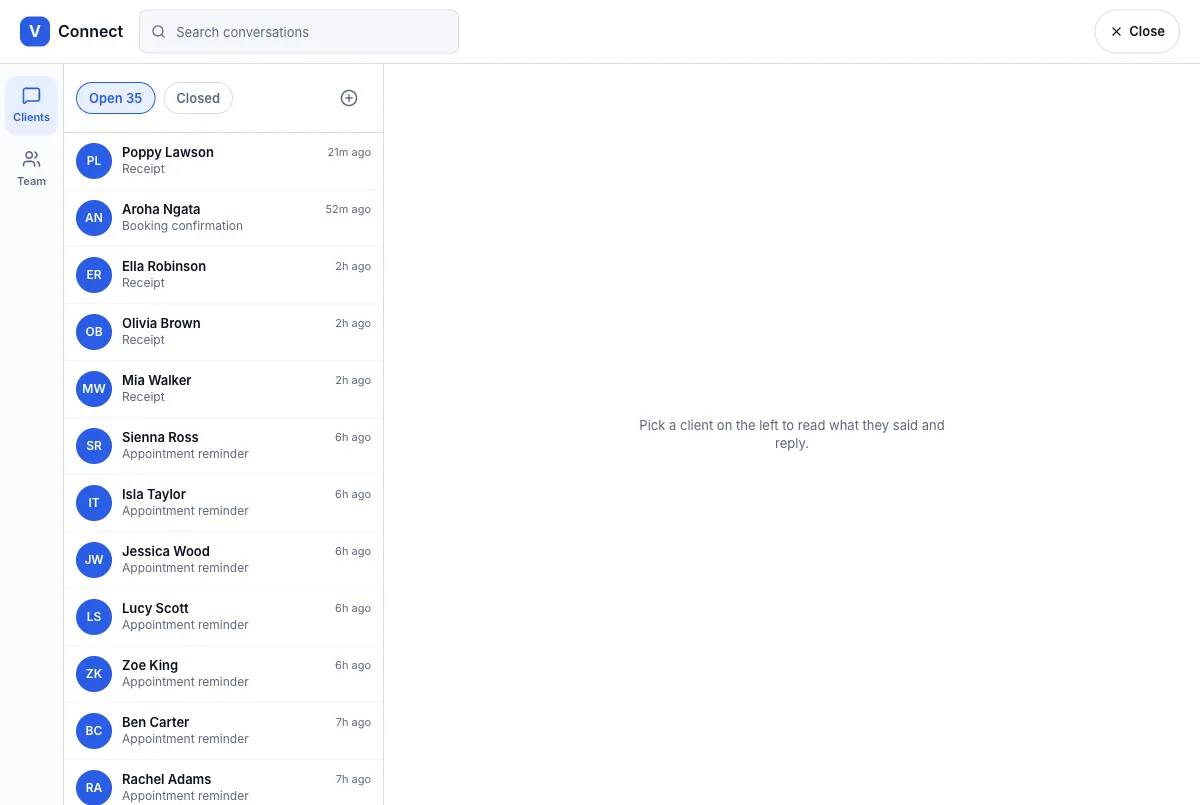
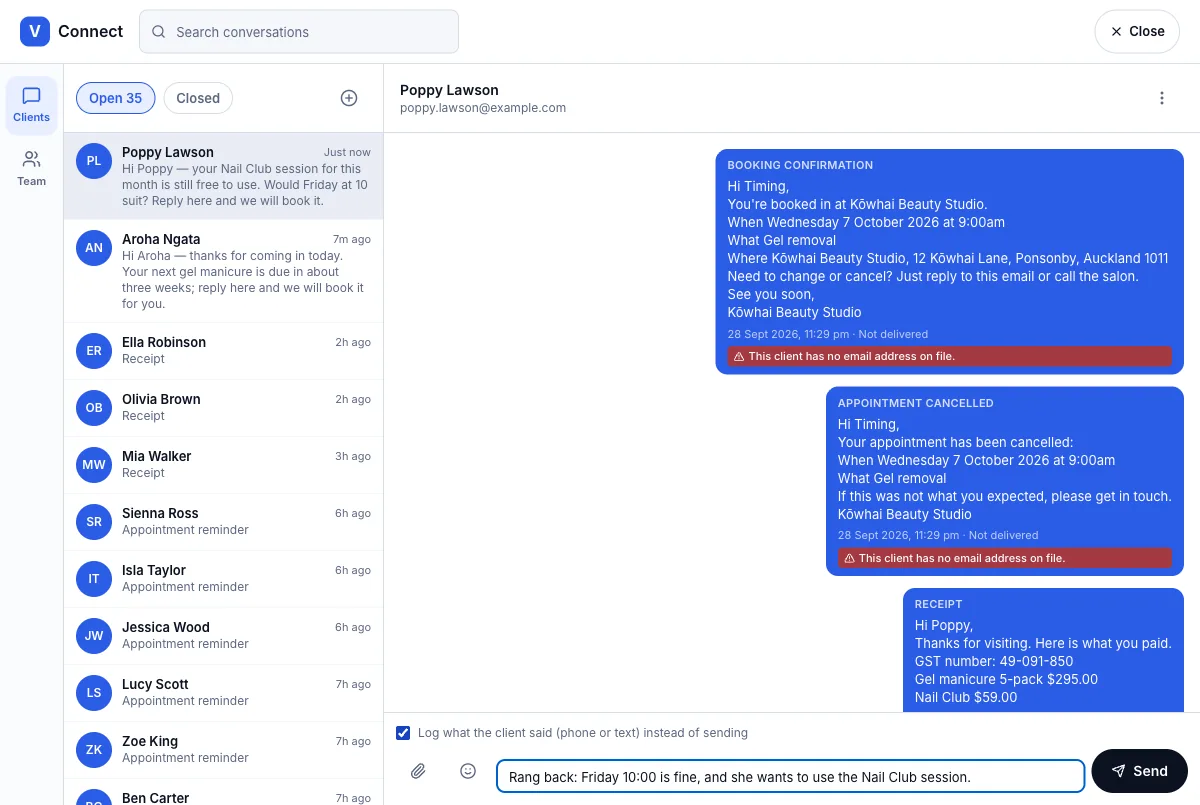
Everything a client has been sent or has said, by email, on the phone, by text, in one thread per client.
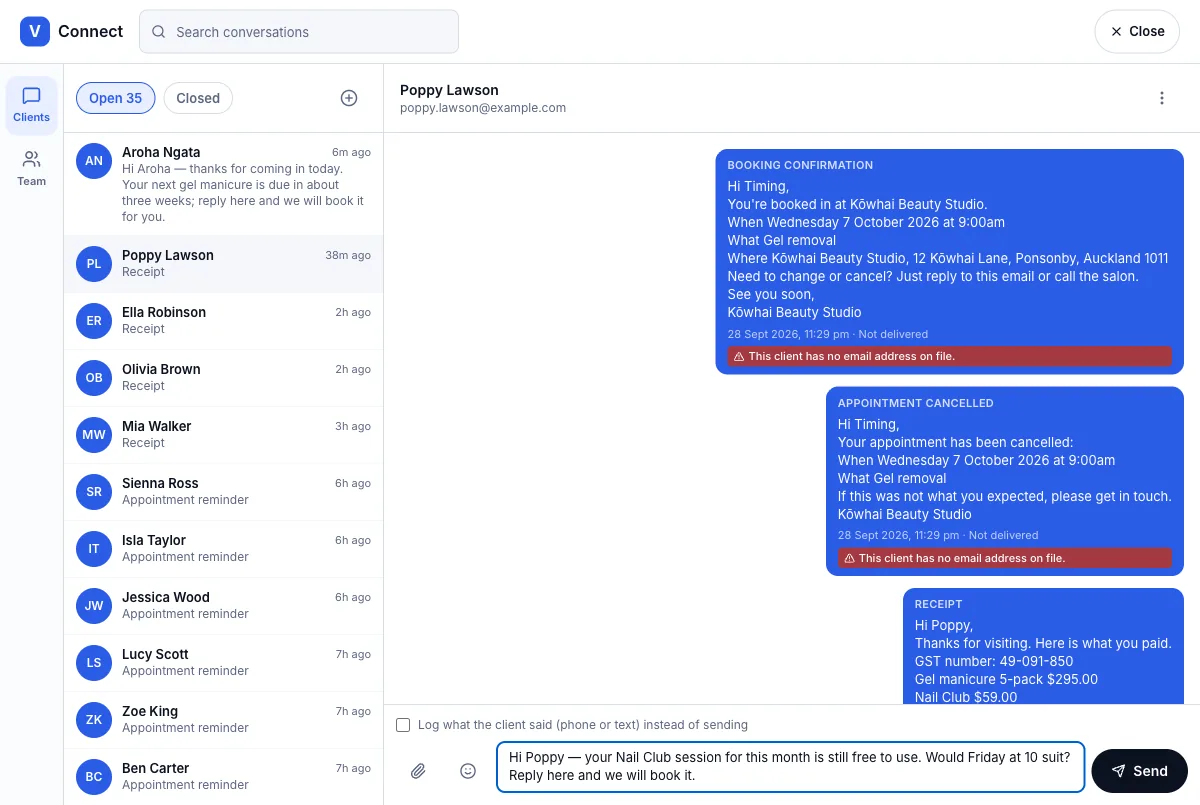
- One conversation thread per client
- Reply by email from inside the thread
- Log what a client said on the phone
Deals and happy hours
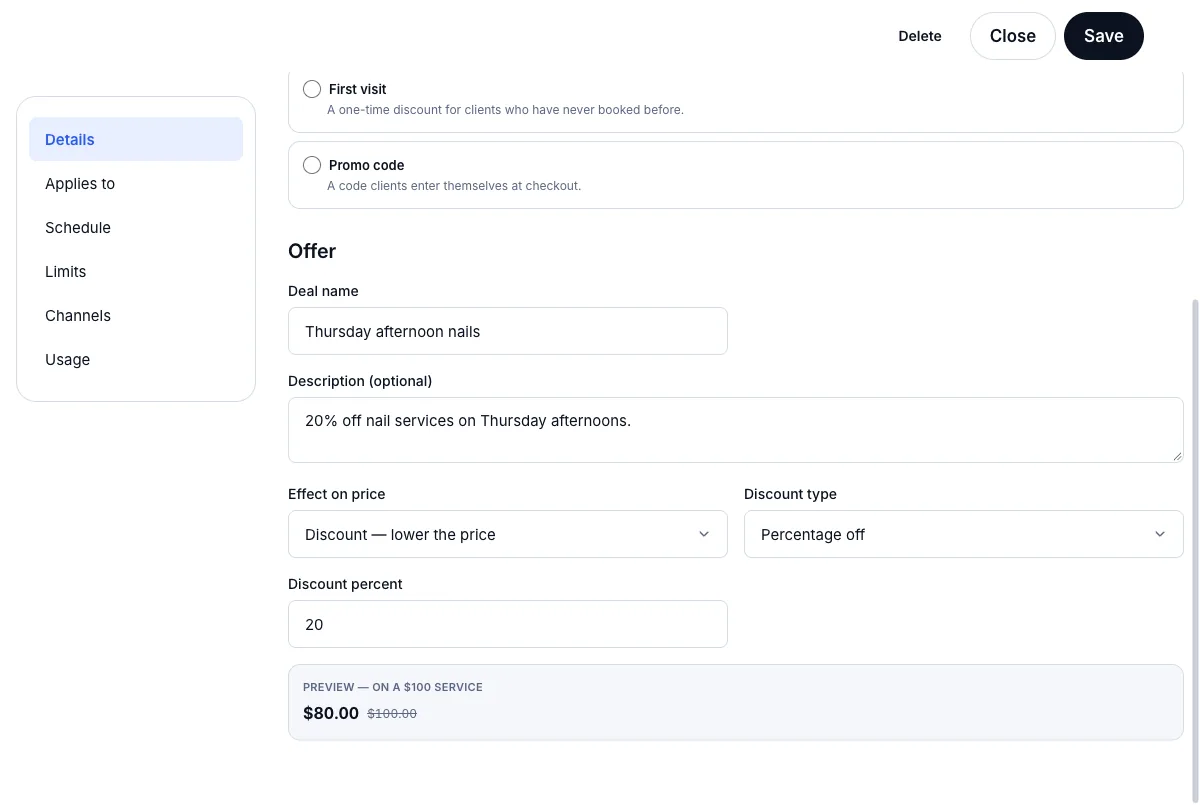
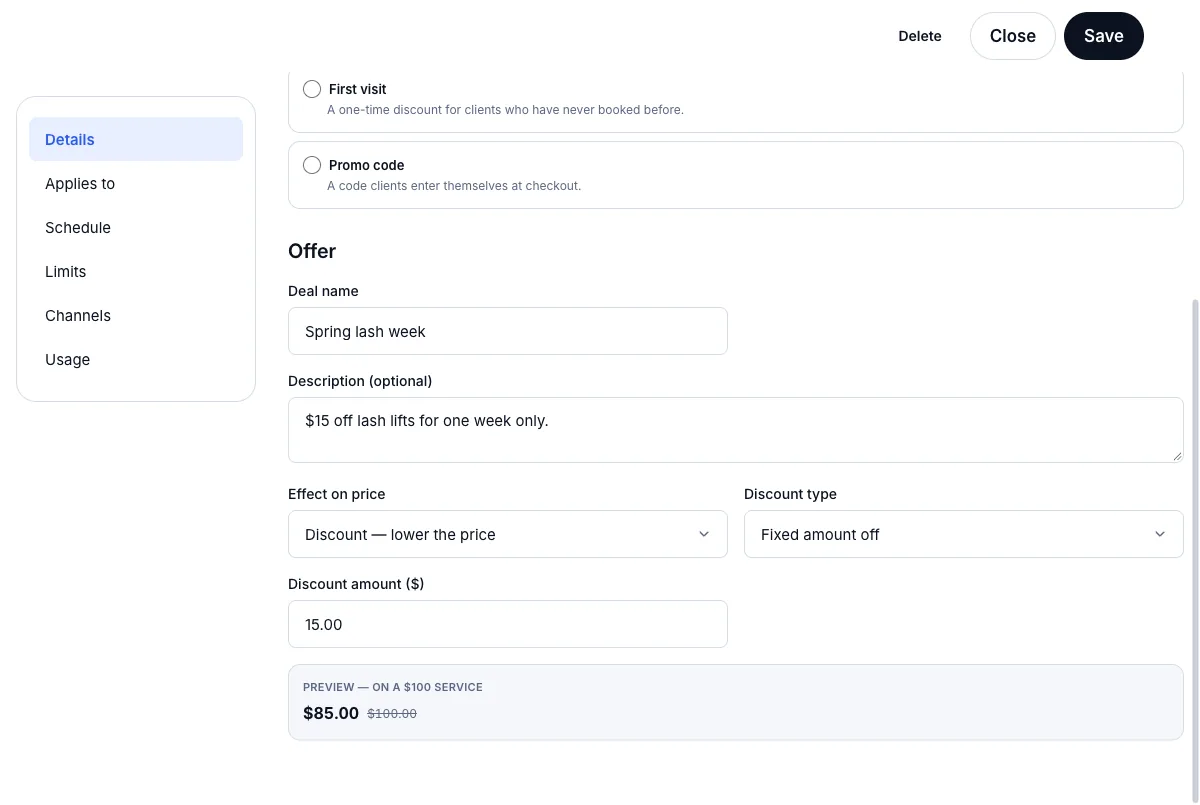
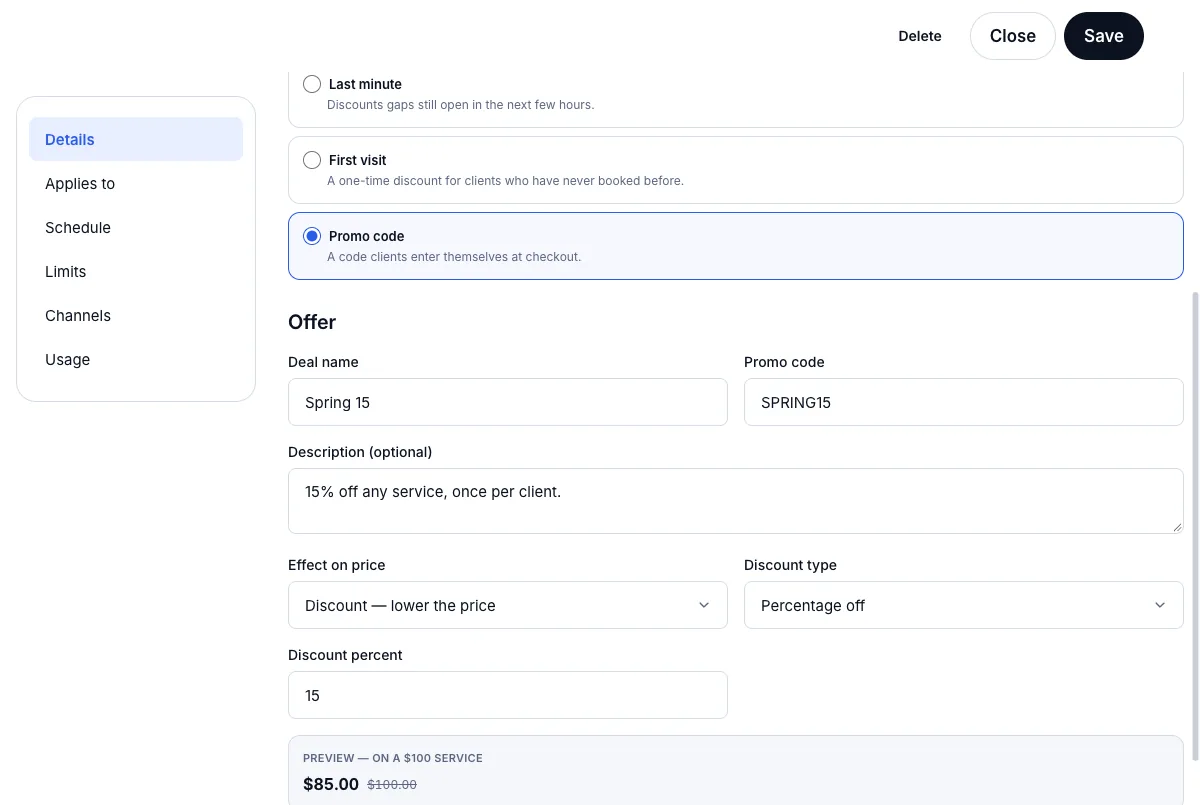
Discounts that switch themselves on and off, a quiet afternoon each week, a week-long sale, a code for the newsletter, with limits so they never cost more than the salon meant.
- Happy hours repeating weekly
- Flash sales over a date range
- Promo codes a client types in
- Caps per day and per client
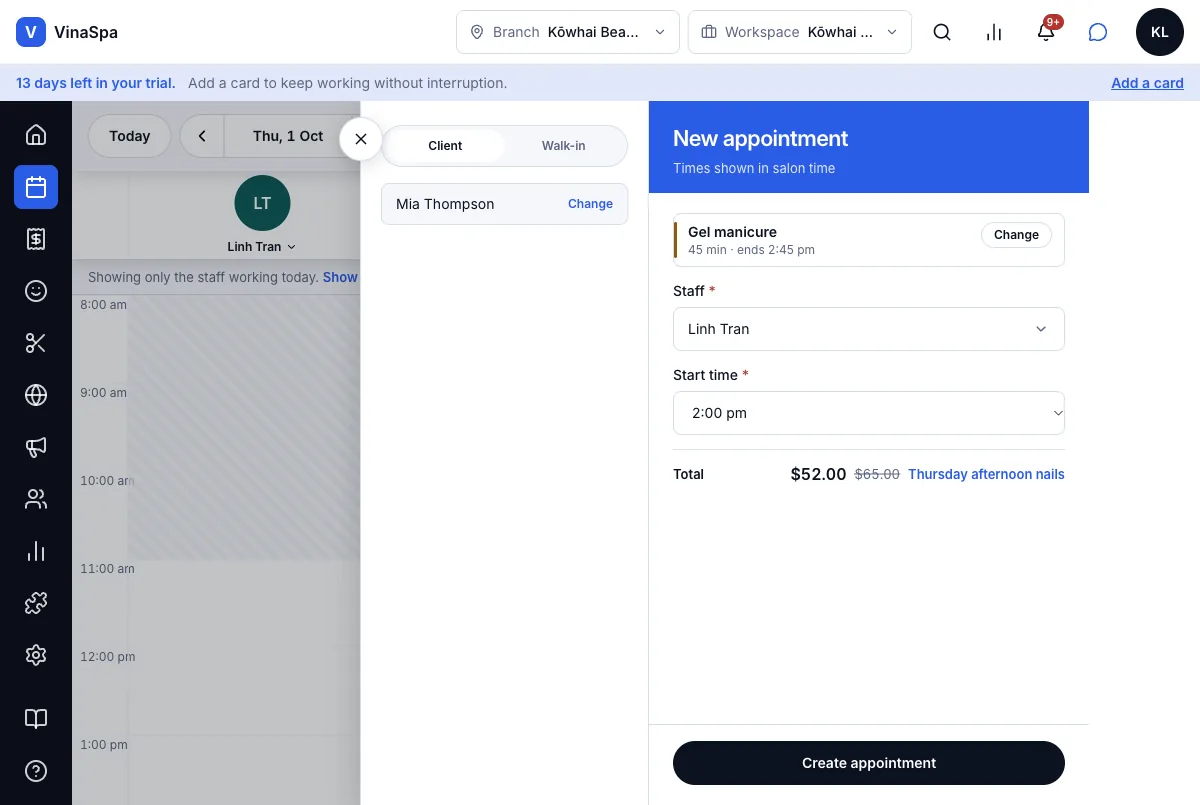
- The deal price shows on the calendar before booking
Card payments
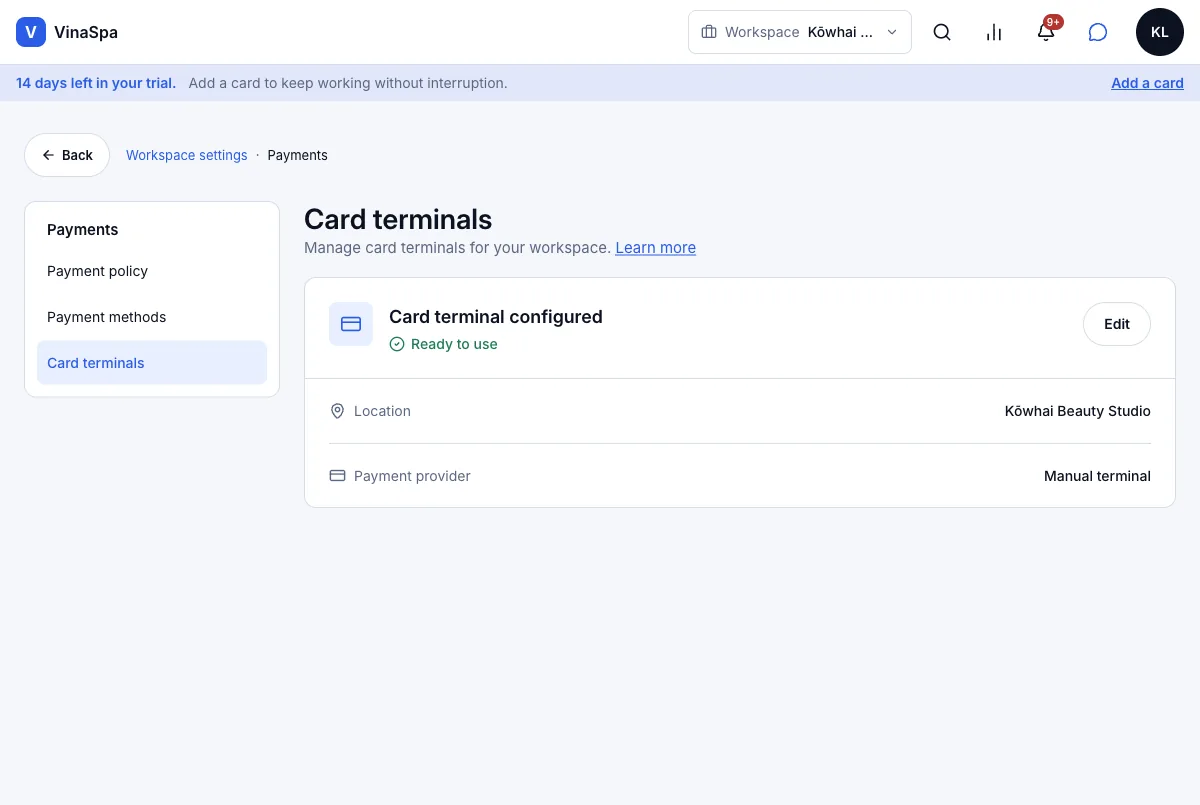
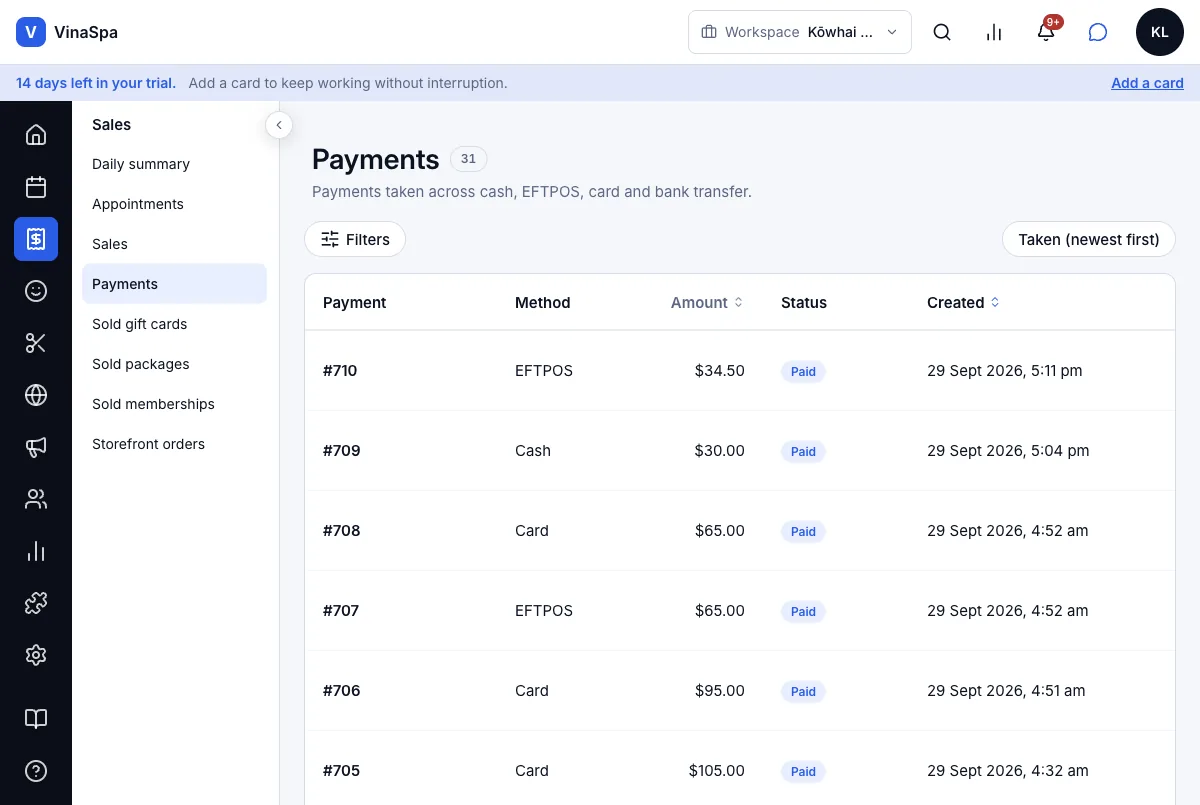
How money comes in and goes back: the card terminal, the payment methods at the till, refunds, and the payment record nobody can edit.
- Card payment through Windcave
- Cash, EFTPOS, bank transfer, recorded by hand
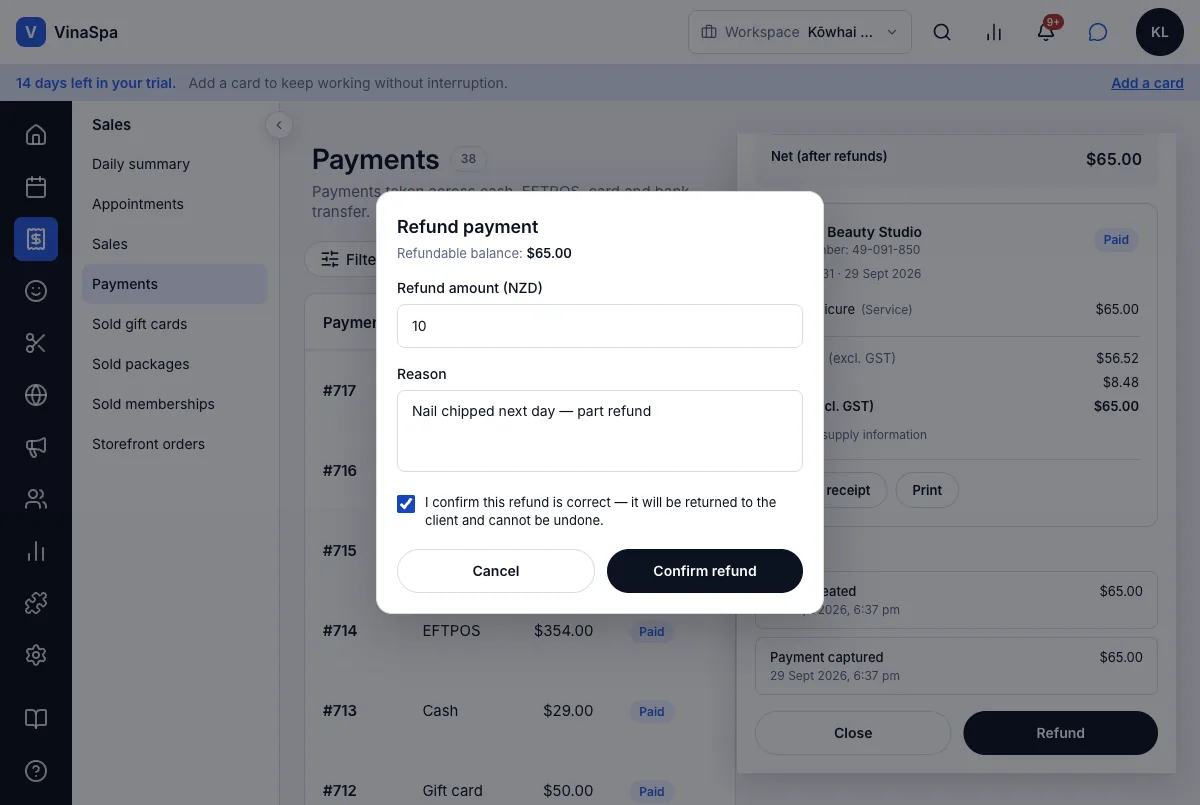
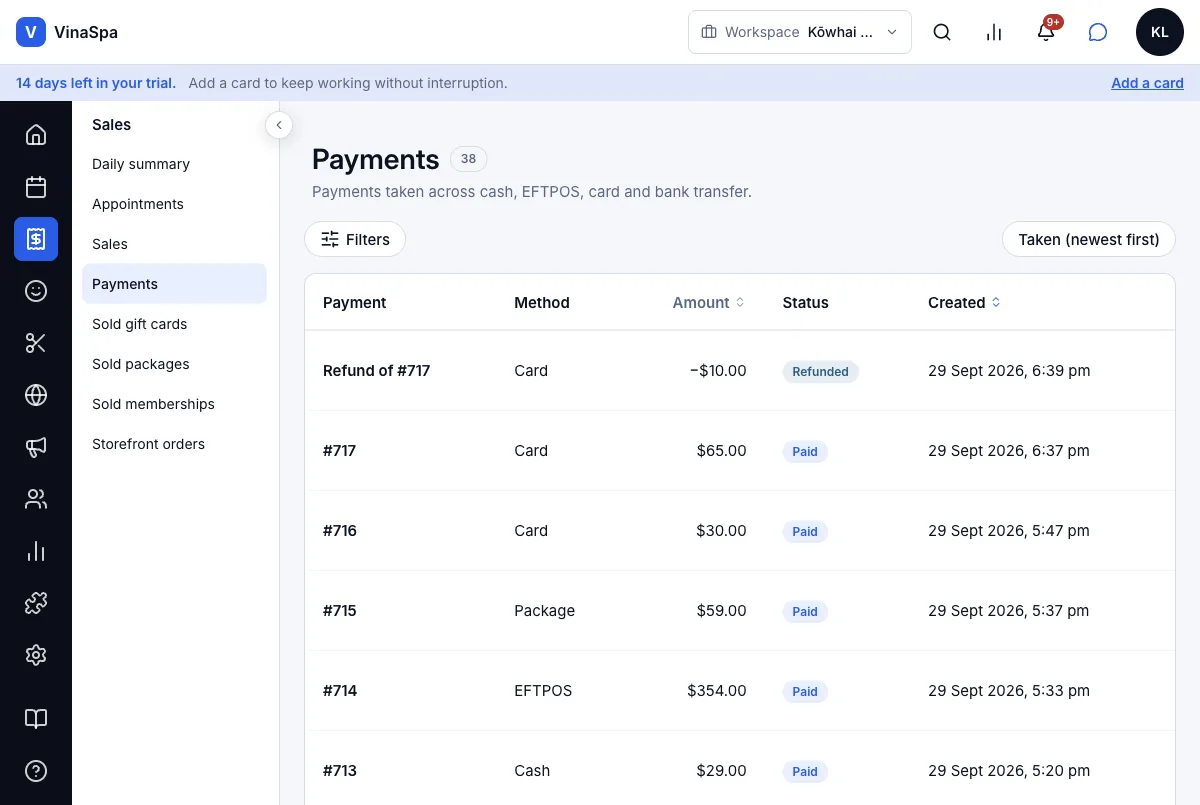
- Partial or full refunds
- The payment ledger is append-only, never edited
Stock
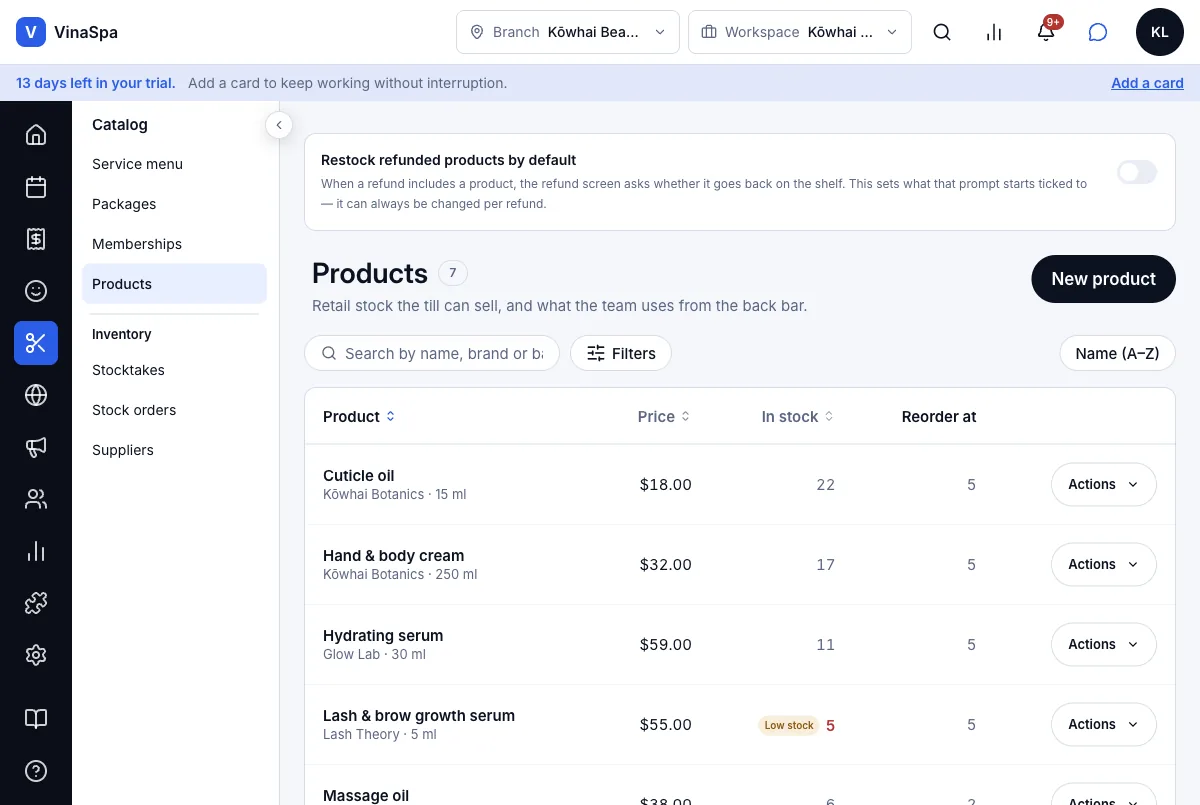
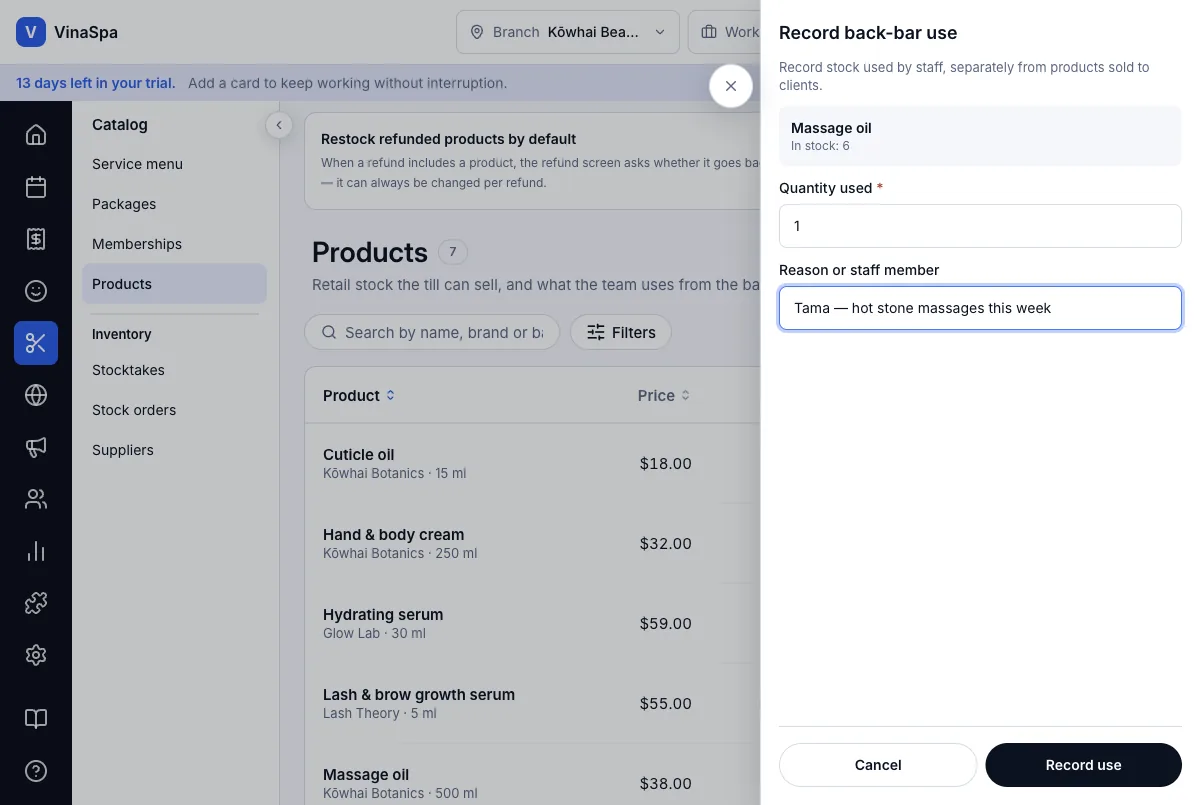
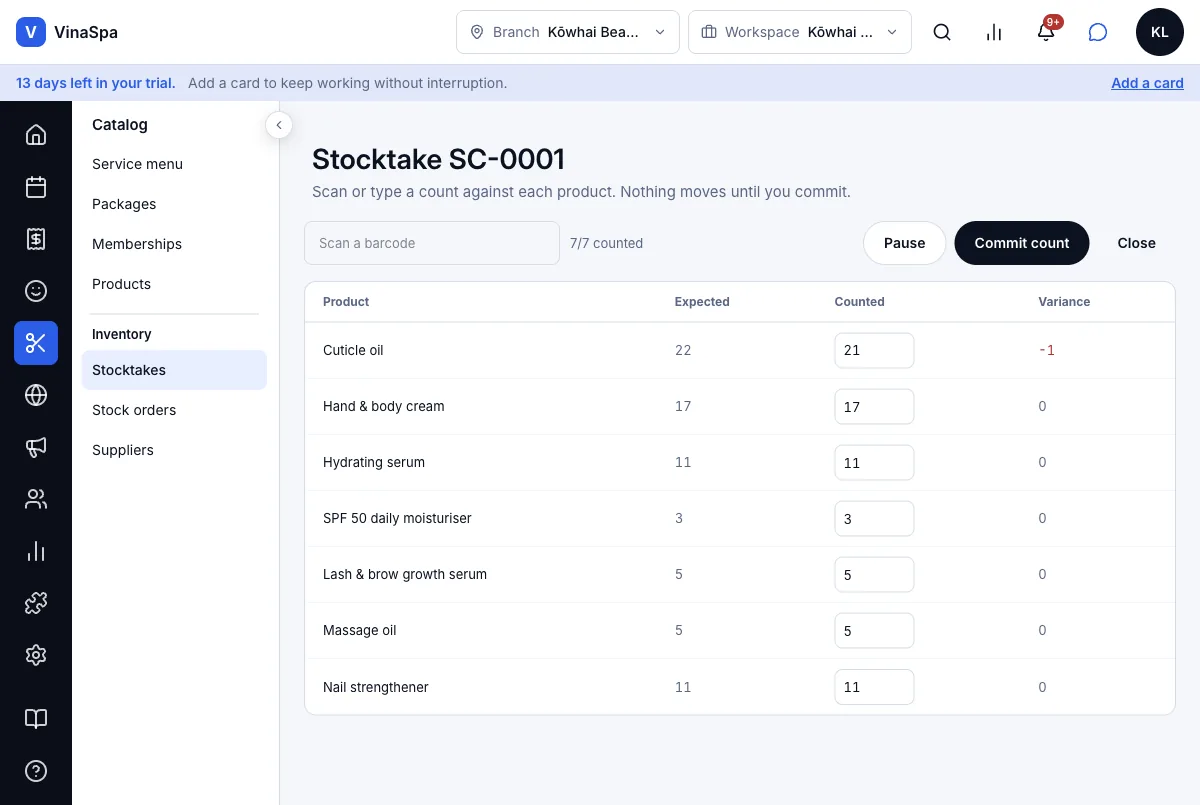
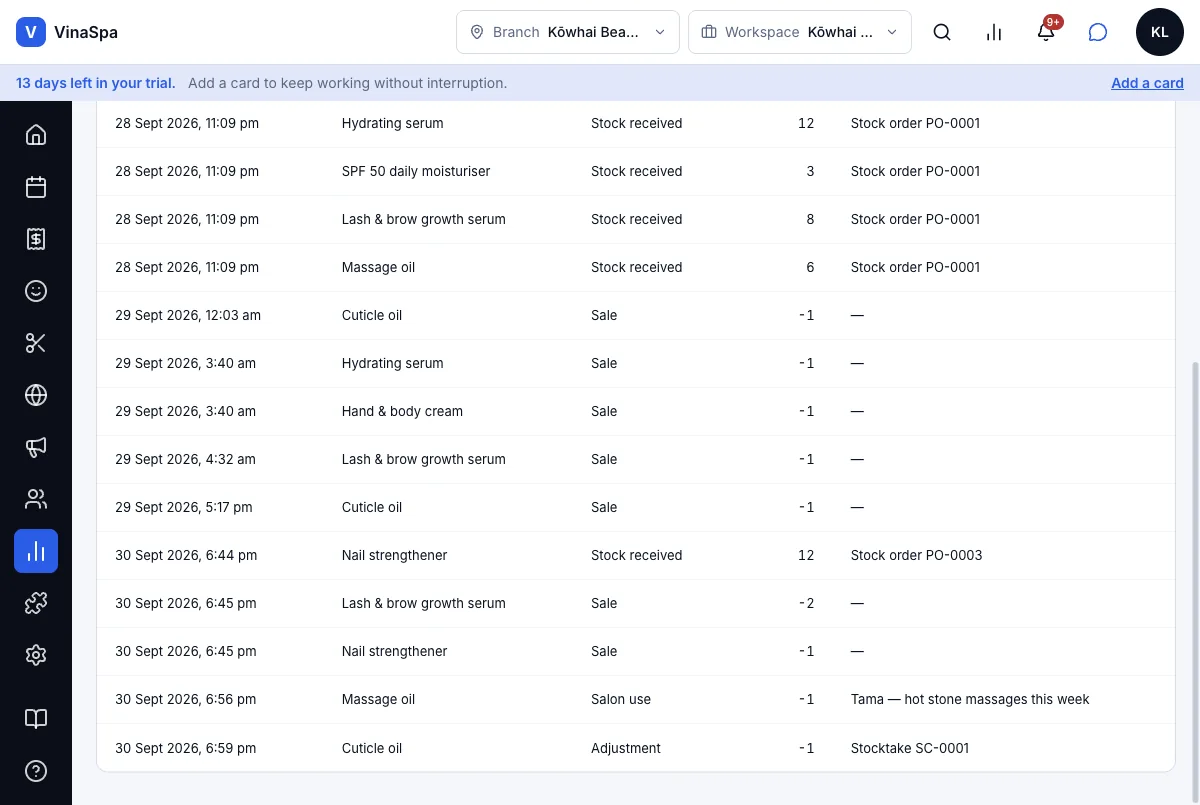
Retail products the till sells and the back-bar stock the team works from, counted in, drawn down by every sale, flagged when it runs low and checked with a stocktake.
- Retail products, sellable at the till
- Stock drawn down on sale
- Low-stock warnings at the reorder level
- Back bar: what staff take for professional use
- Regular stocktakes
Today board and reports
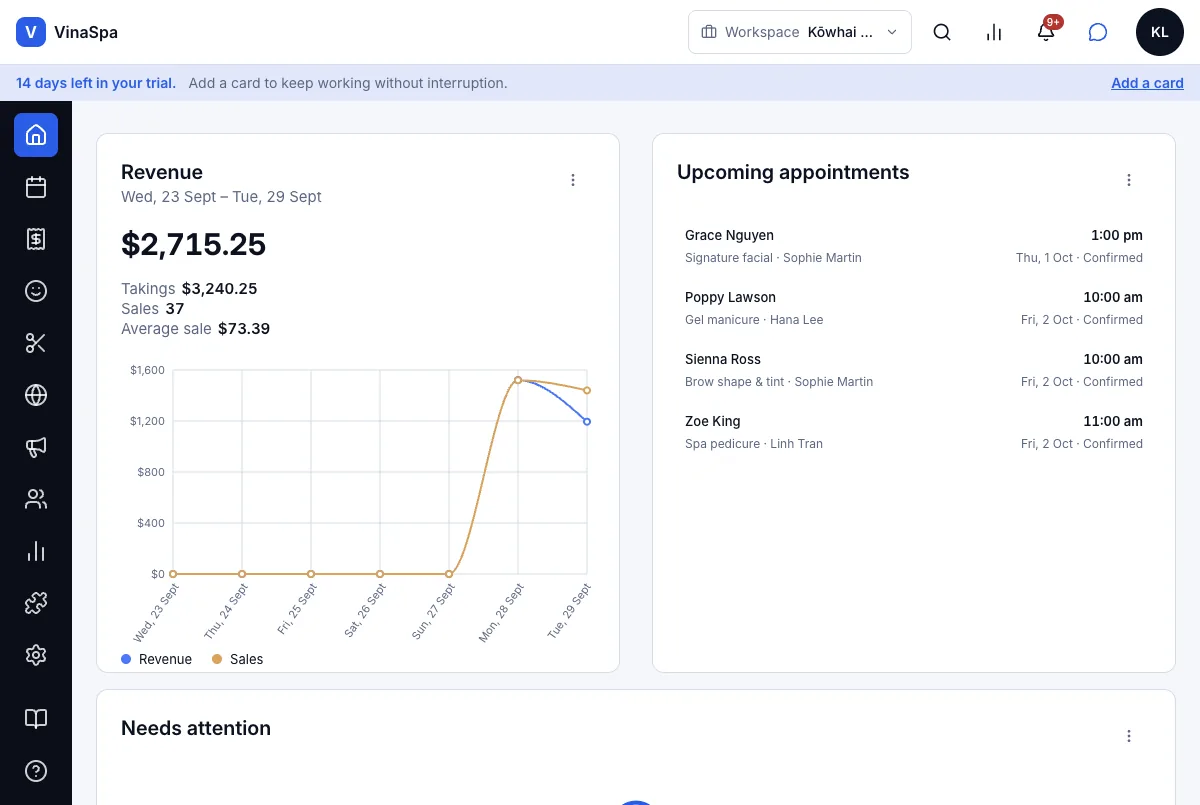
What the salon has taken, what is coming up and what needs doing, on one board, with the detailed reports one click away.
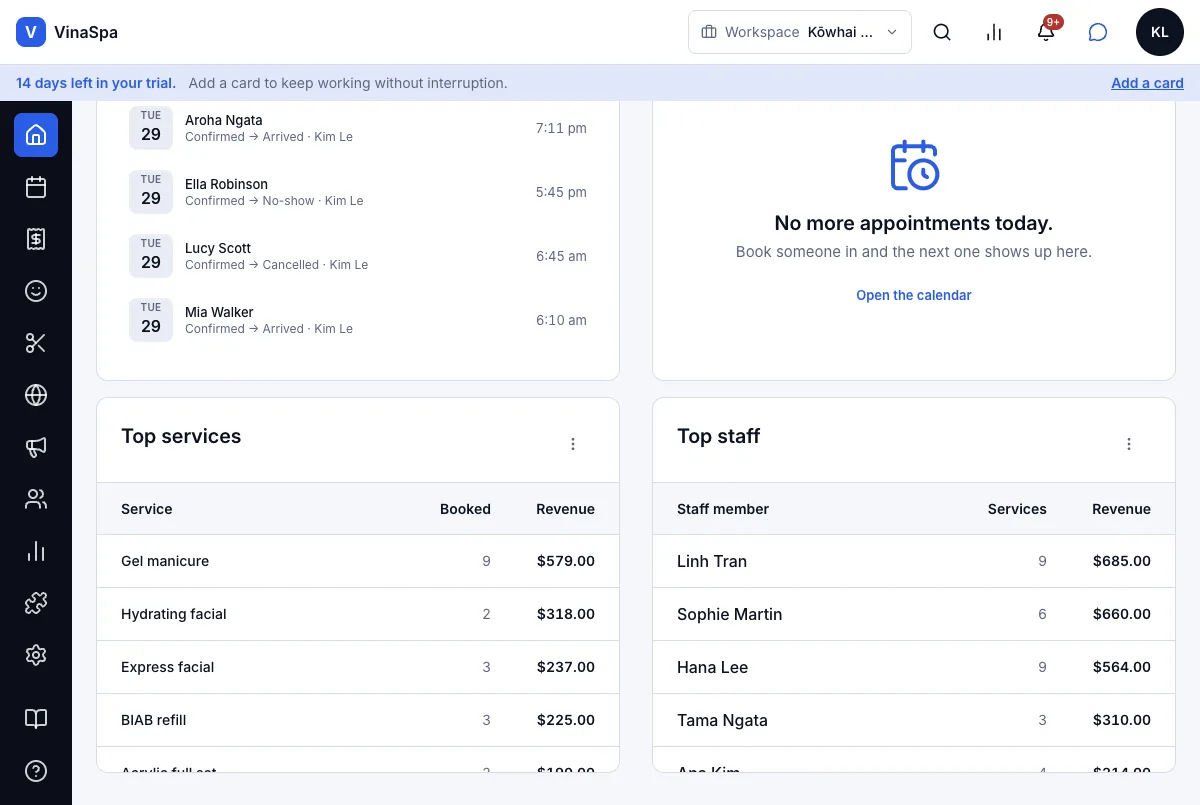
- Today board: takings, what is next, what needs attention
- Revenue for the last 7, 14, 30 or 90 days
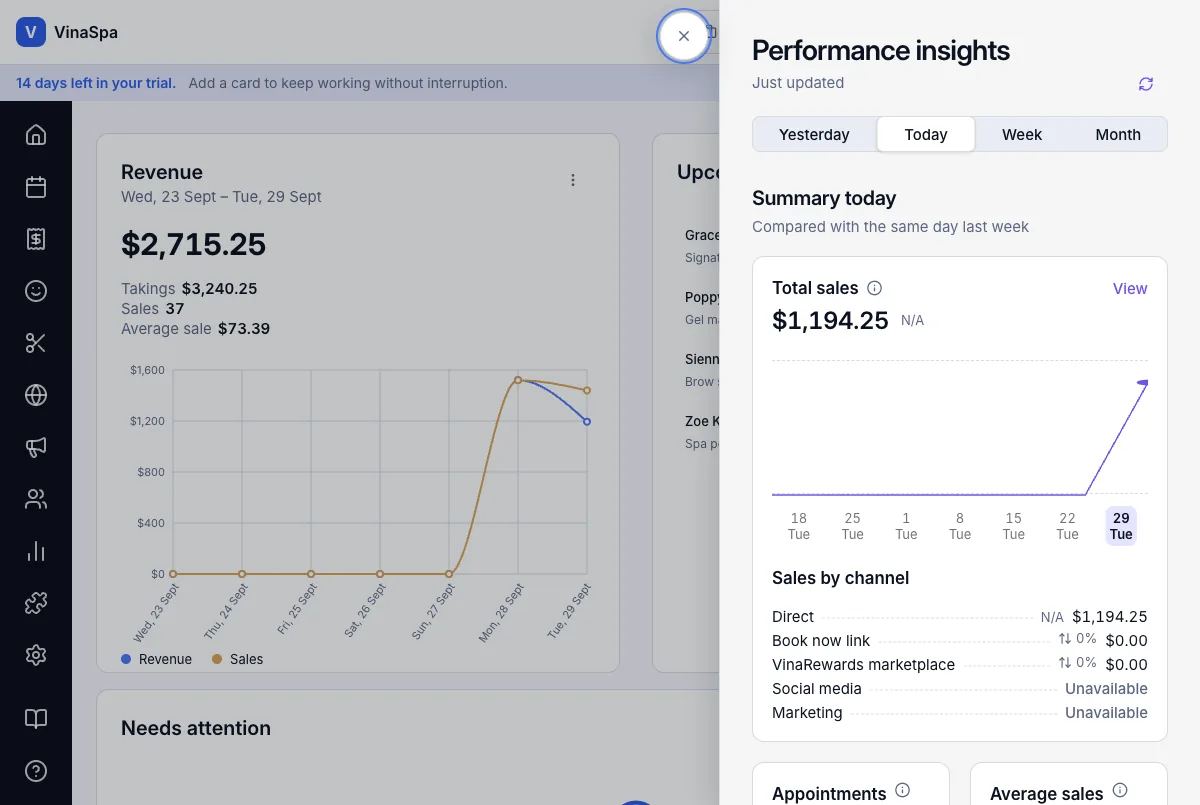
- Performance at a glance in the top bar
- Compared with the same period before
- Sales by channel
- Top services and top staff
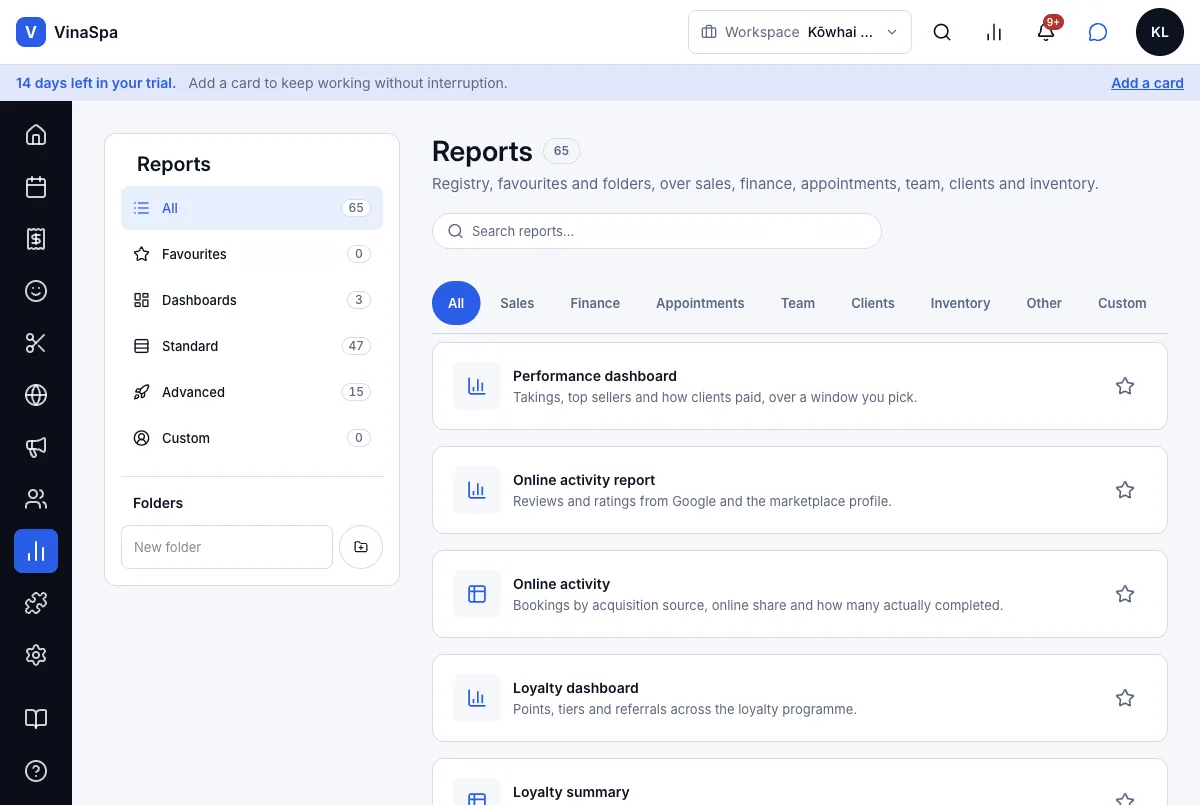
- Reports read from the payment ledger, so a refund subtracts correctly
25 features
Setting up the salon
Done once, used by the whole team every day.
Service menu
What the salon sells, what it costs, how long it takes, who may do it, and the packages clients pay for up front.
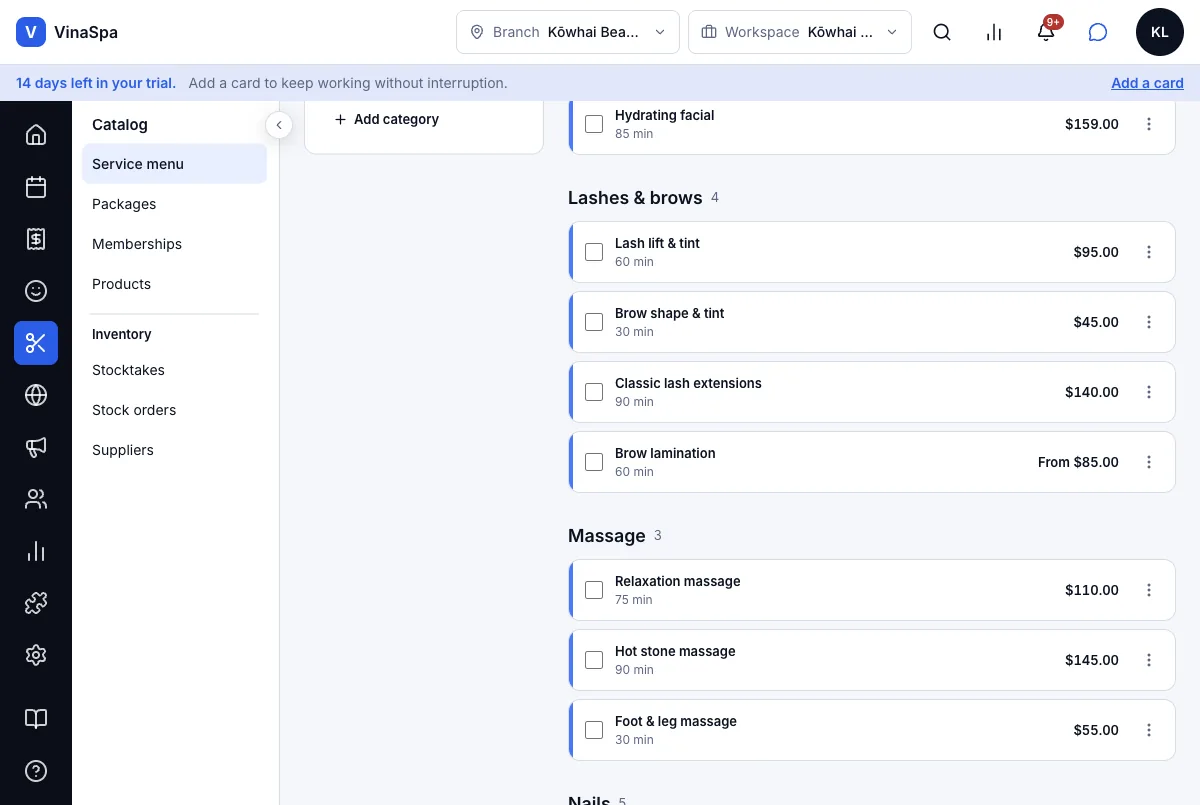
- Services, categories, prices and durations
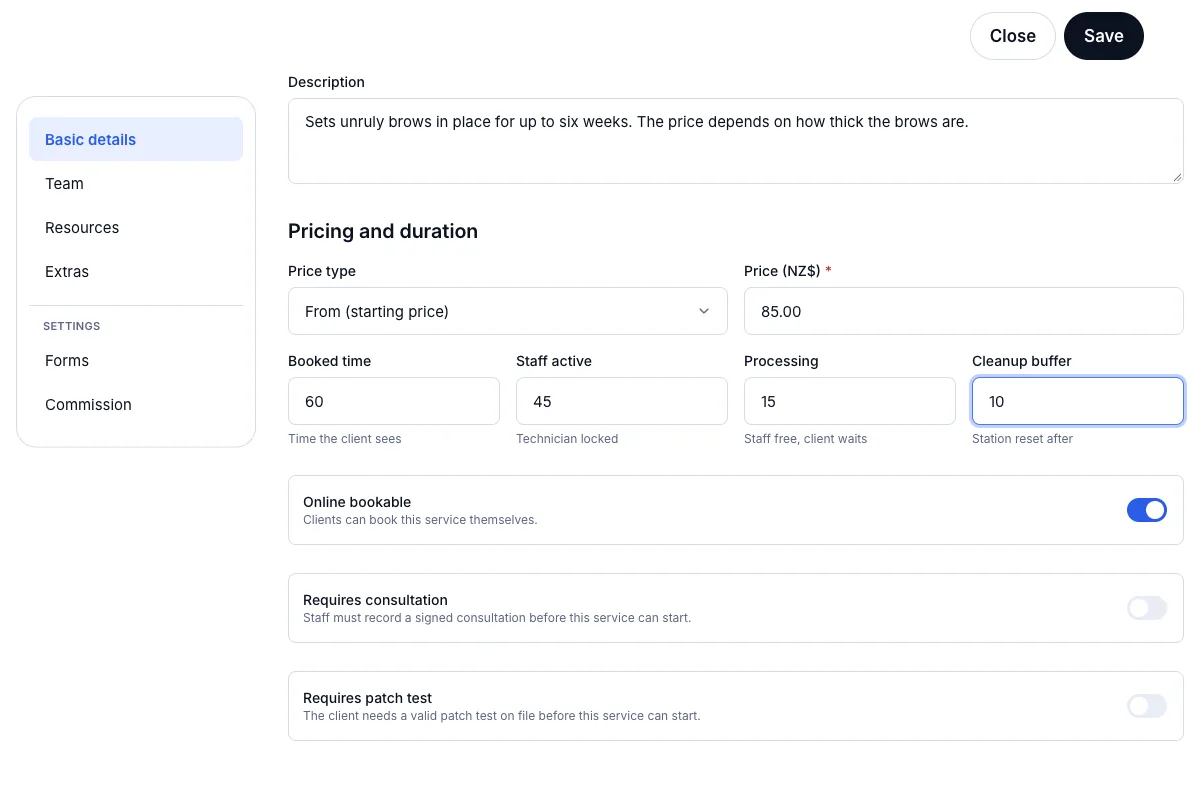
- Four separate durations: booked, staff-active, processing, cleanup
- Extras a client can add on
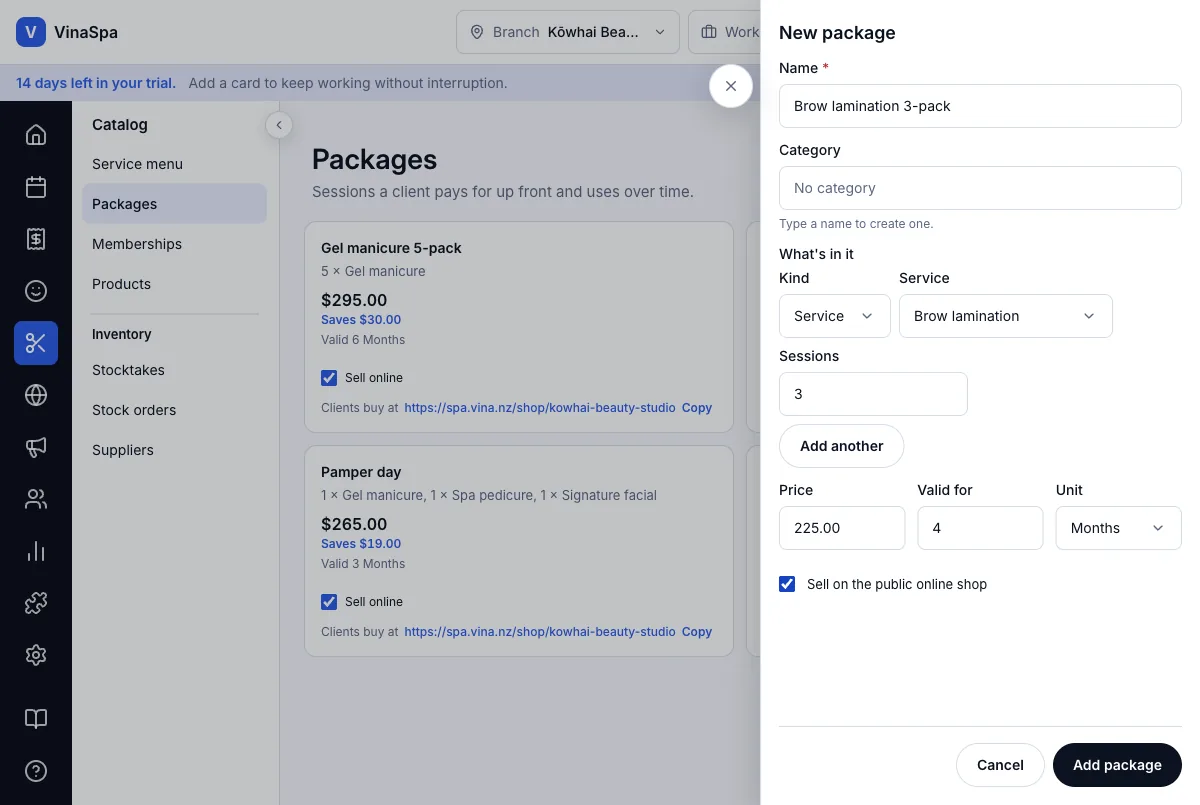
- Prepaid service packages
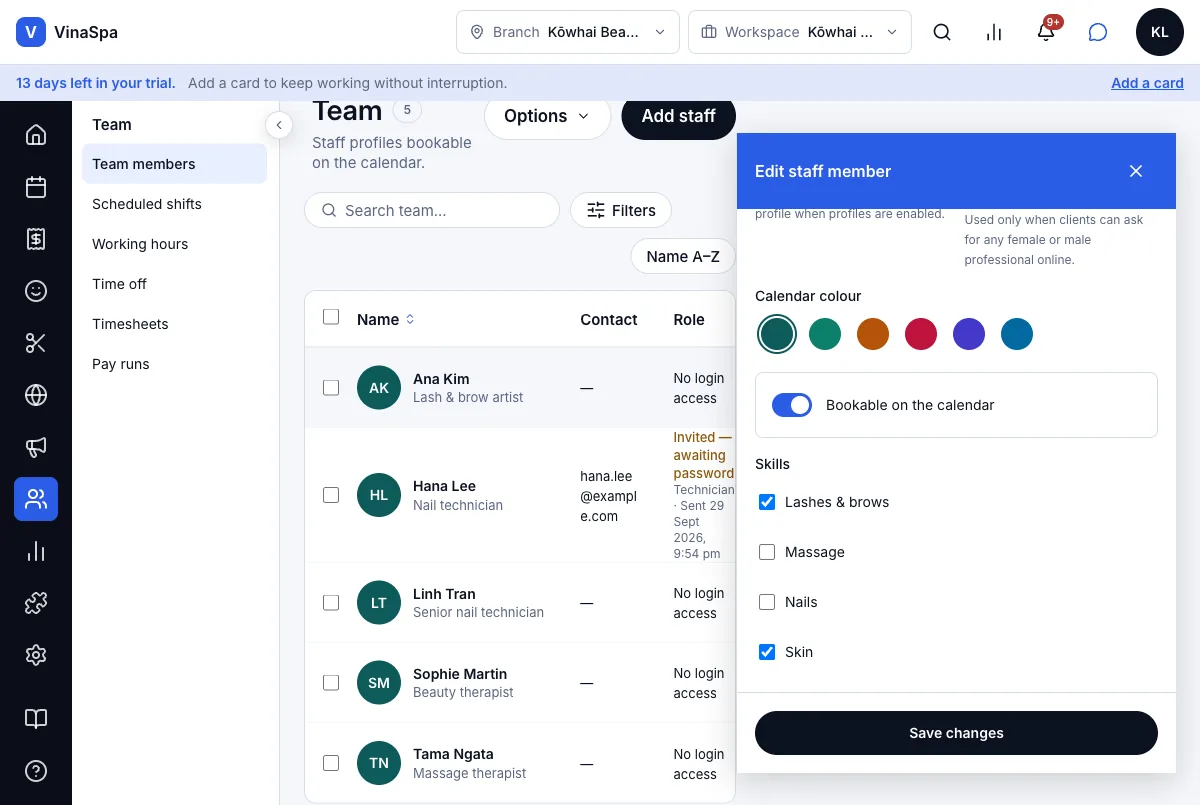
- Skills: only a qualified therapist can take the service
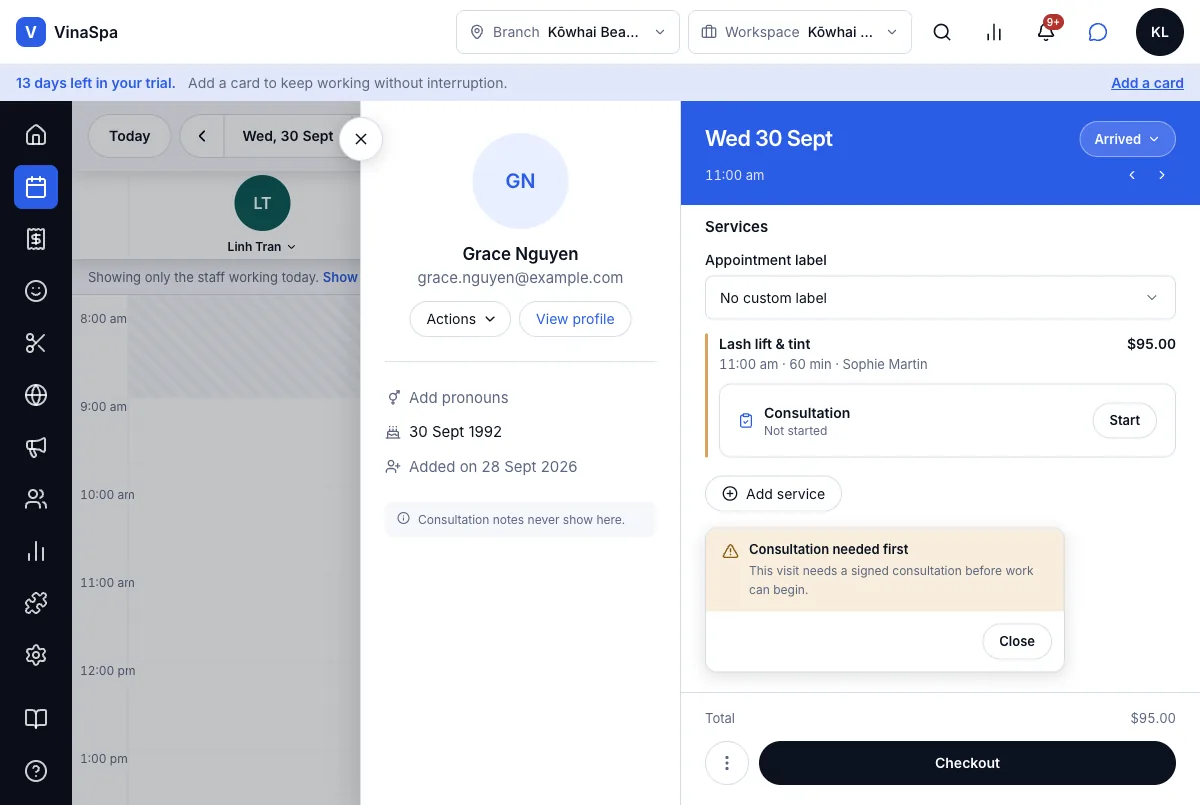
- Services that require a signed consultation form first
- A "from" price for services without a fixed one
Consultation forms
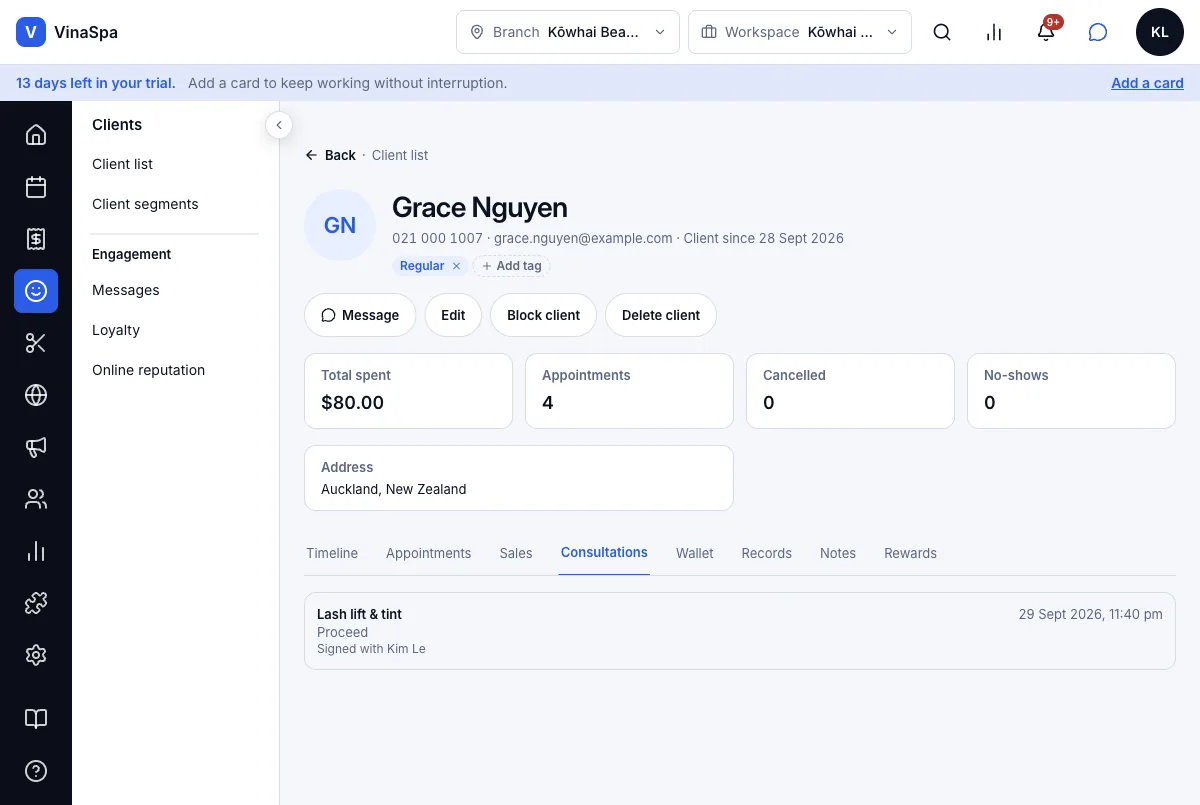
The safety questions a client answers and signs before a treatment that needs them, and a treatment that cannot begin until they have.
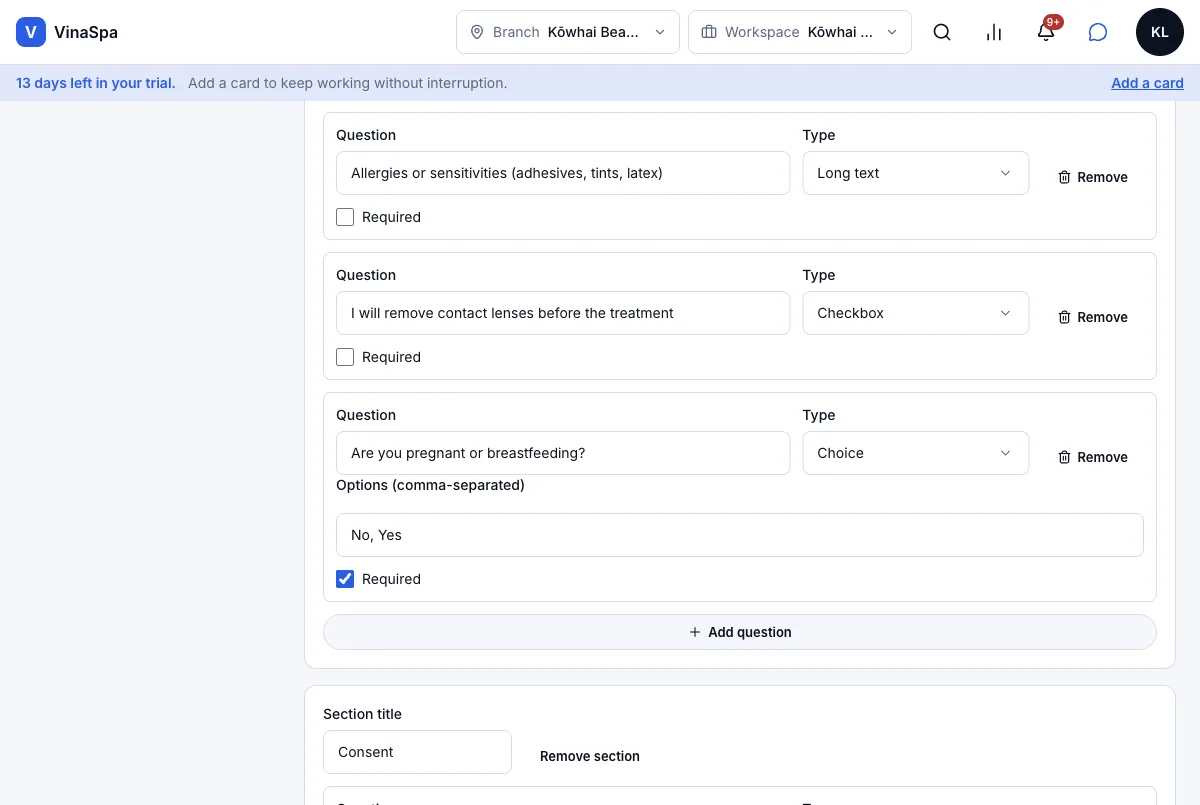
- Build your own form, with several question types
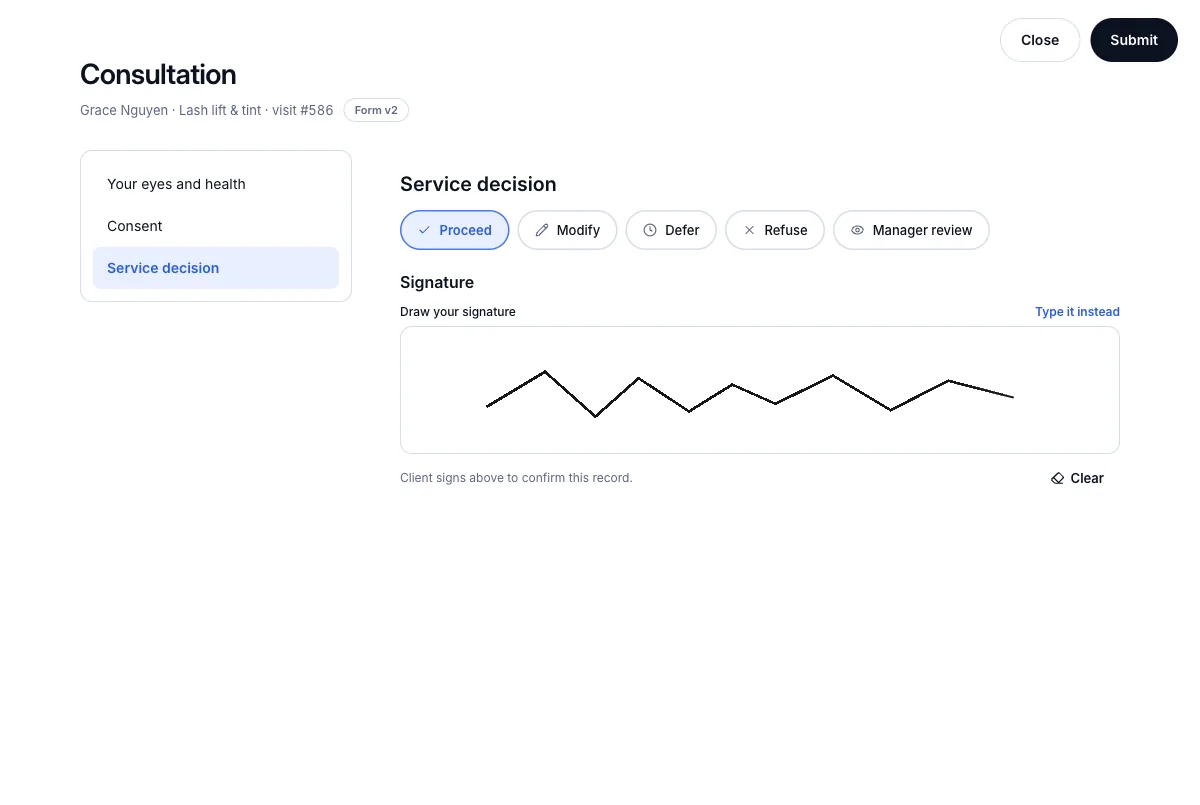
- The client signs by hand or types their name
- Unsigned means the service cannot start
- A saved form is read-only; a correction means a new one
Team and permissions
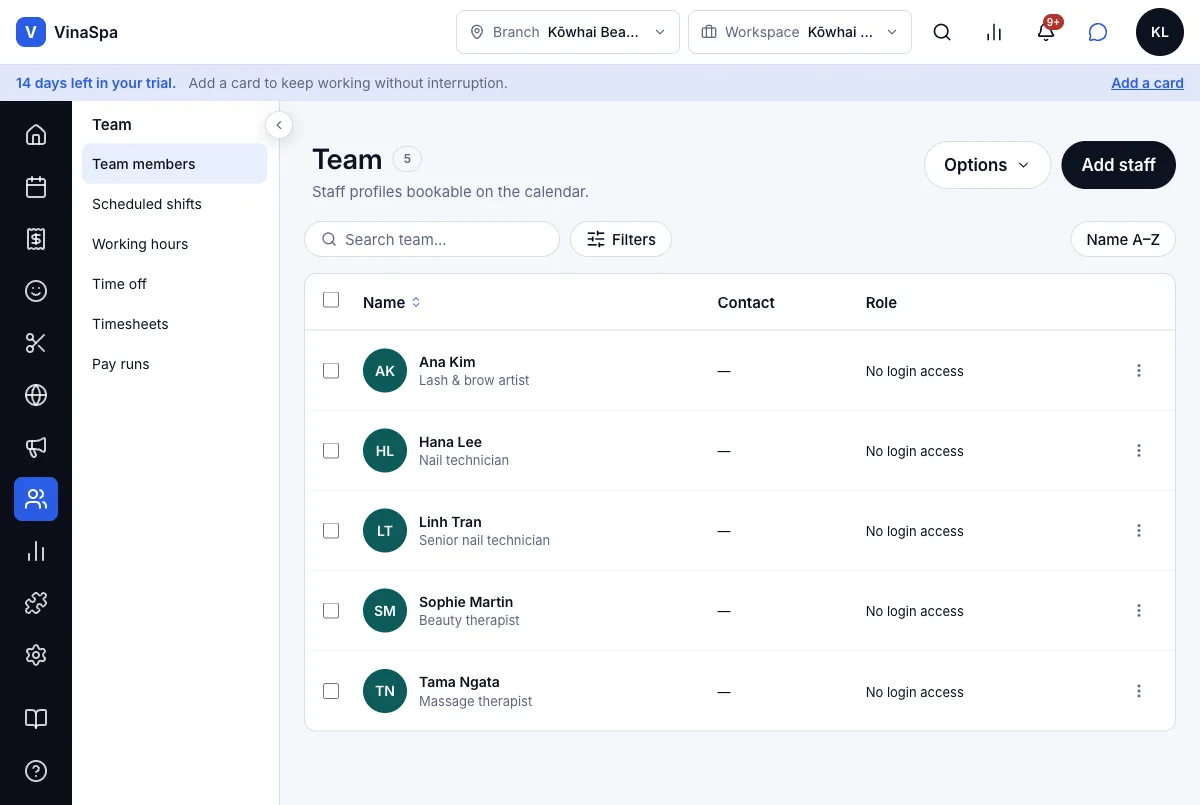
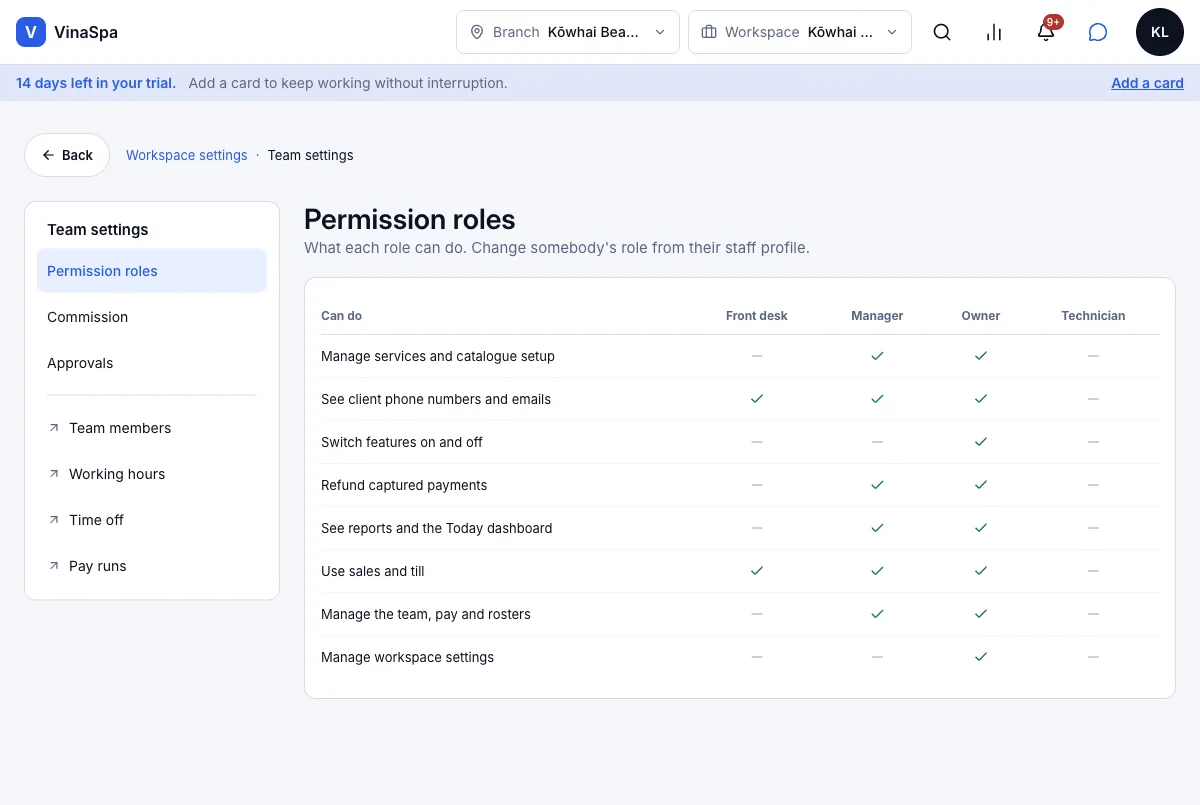
Who can sign in, what each role can do, and what a therapist never sees.
- Create accounts and invite staff by email
- Four roles: owner, manager, front desk, therapist
- Therapists get their own login and see their own diary
- Restricted notes a therapist cannot read
- Discount approval by permission
- Therapists cannot see revenue or reports
- Therapists cannot see client phone numbers or email addresses
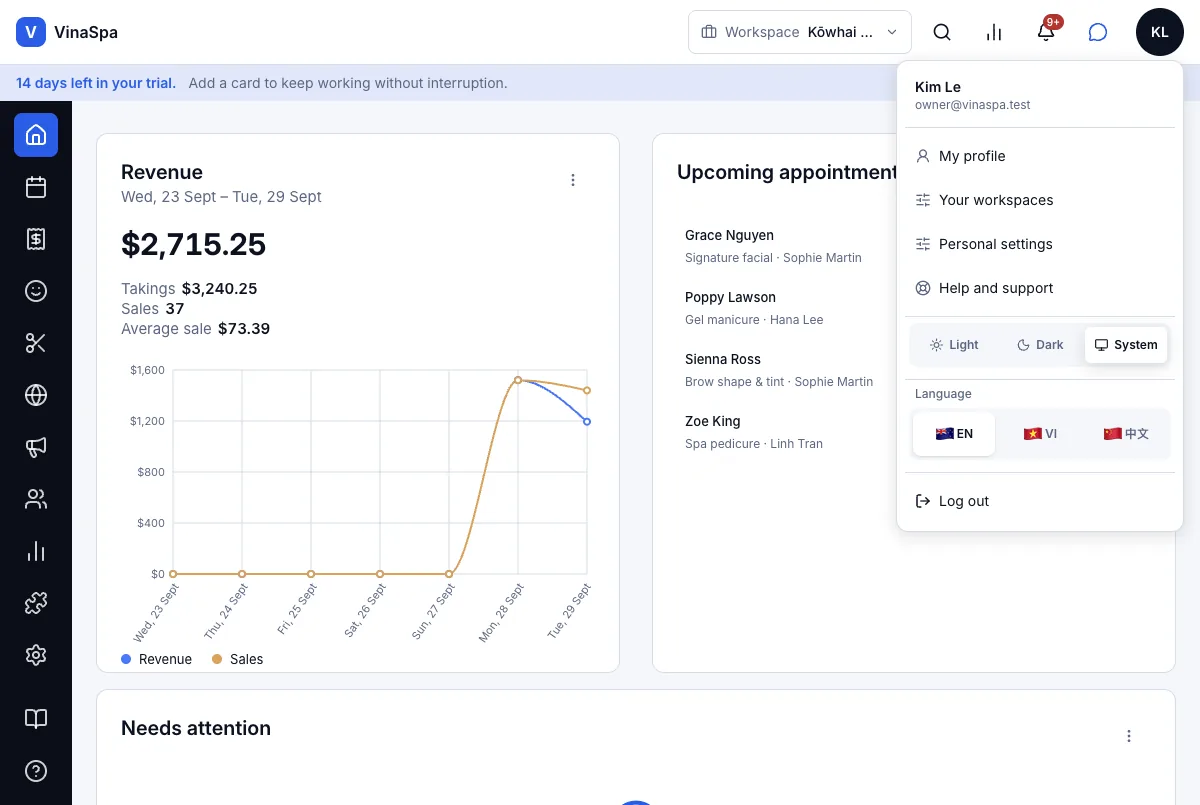
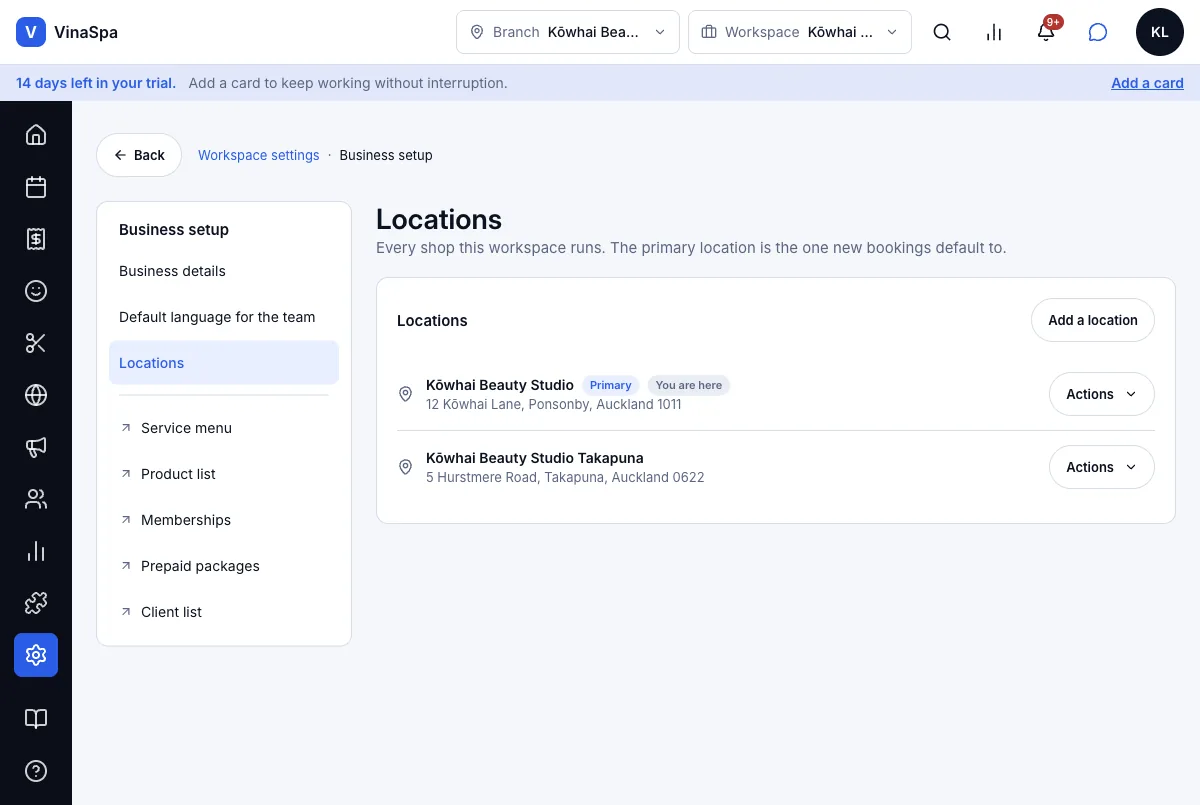
Salon settings
The parts of MySpa your salon uses, when it is open, how it charges GST, which language everyone reads, and how many branches it runs.
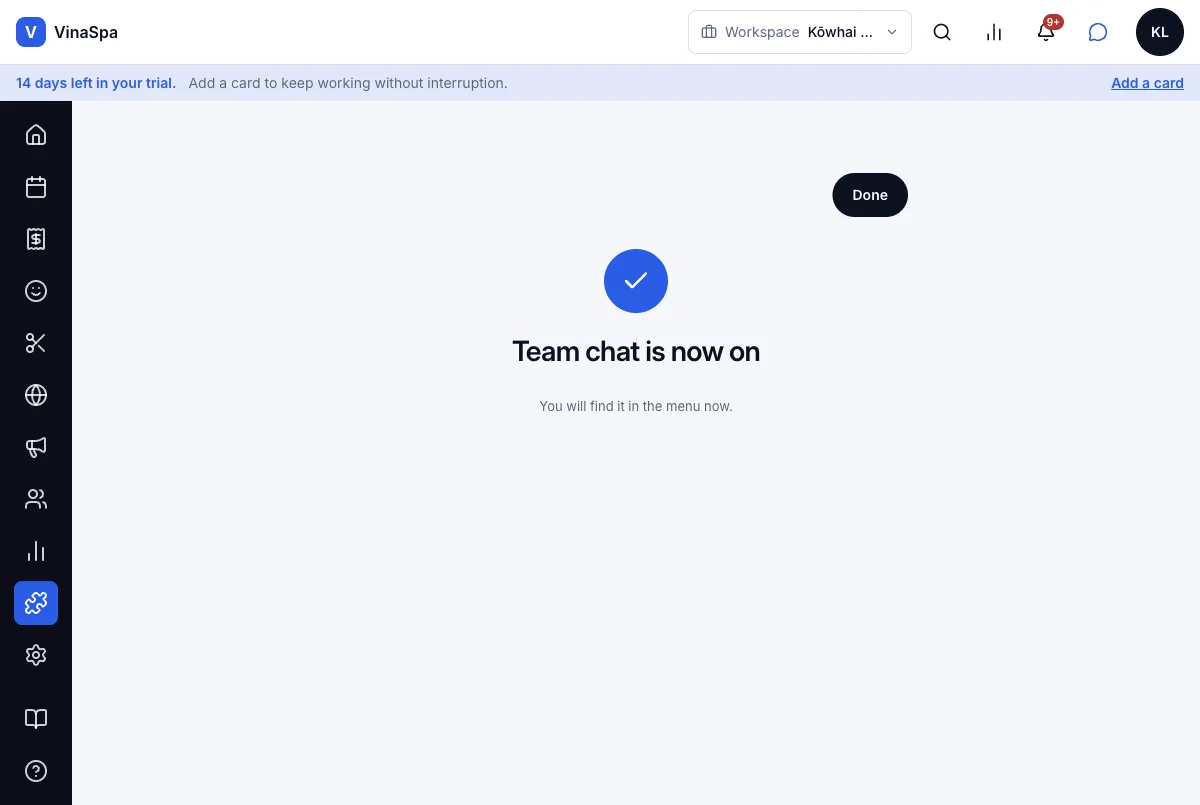
- Switch each module on or off for your own salon
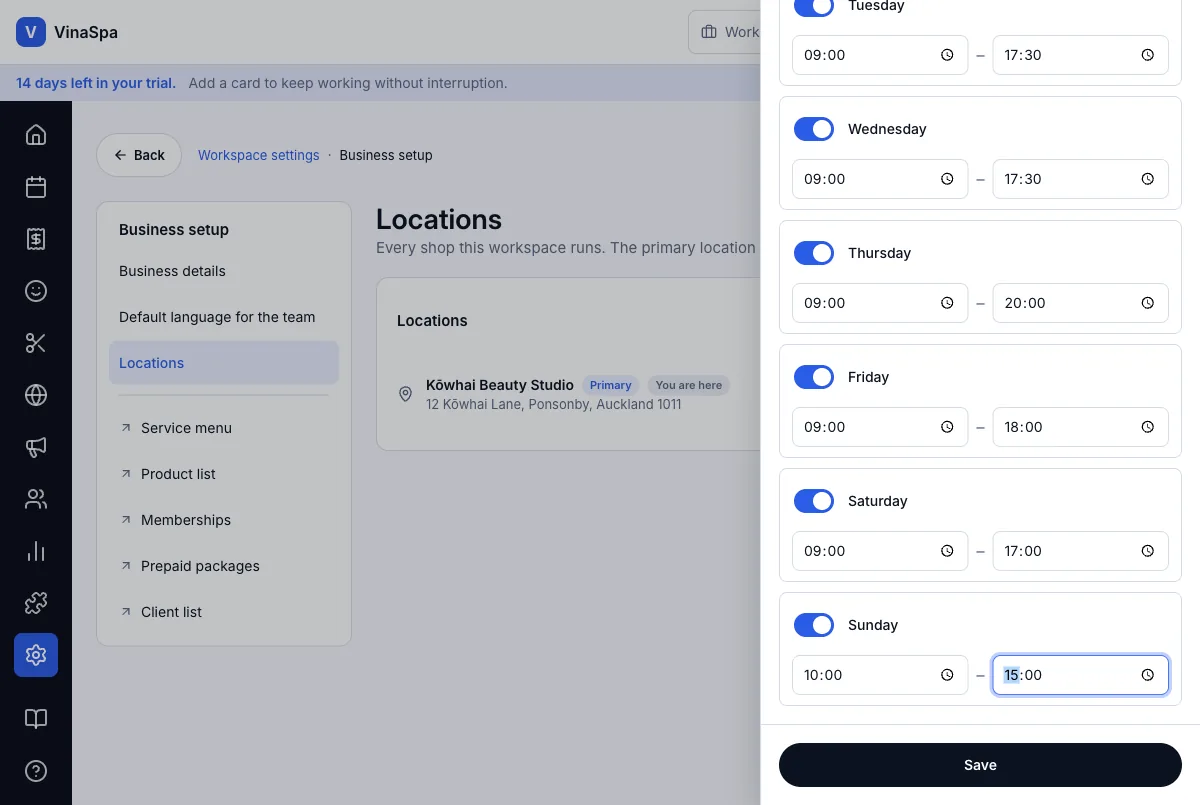
- Opening hours per day of the week
- GST: on or off, the number, and printing it on a receipt
- Three languages: English, Vietnamese, Chinese
- A salon-wide default language each person can override
- Usable on a phone: bottom bar, swipe to change day
- Managing several branches
Included
Payroll, tax and accounting
Payroll done the NZ way and the salon's own books, each with a page of its own.
Payroll & tax
PAYE, KiwiSaver, payslips, a bank file and an IRD filing file.
See more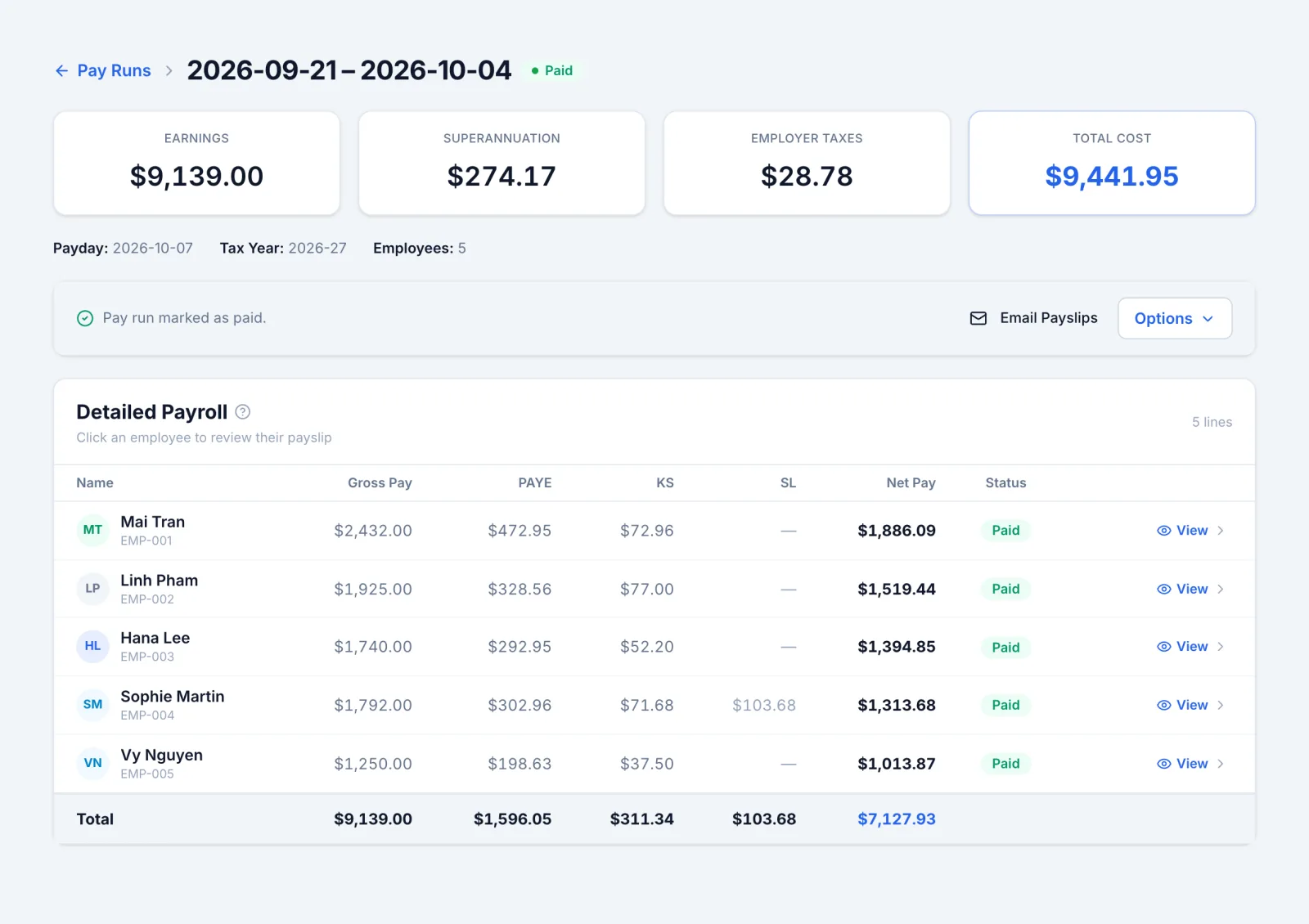
Accounting
Bank statements, P&L, GST returns, cash flow.
See more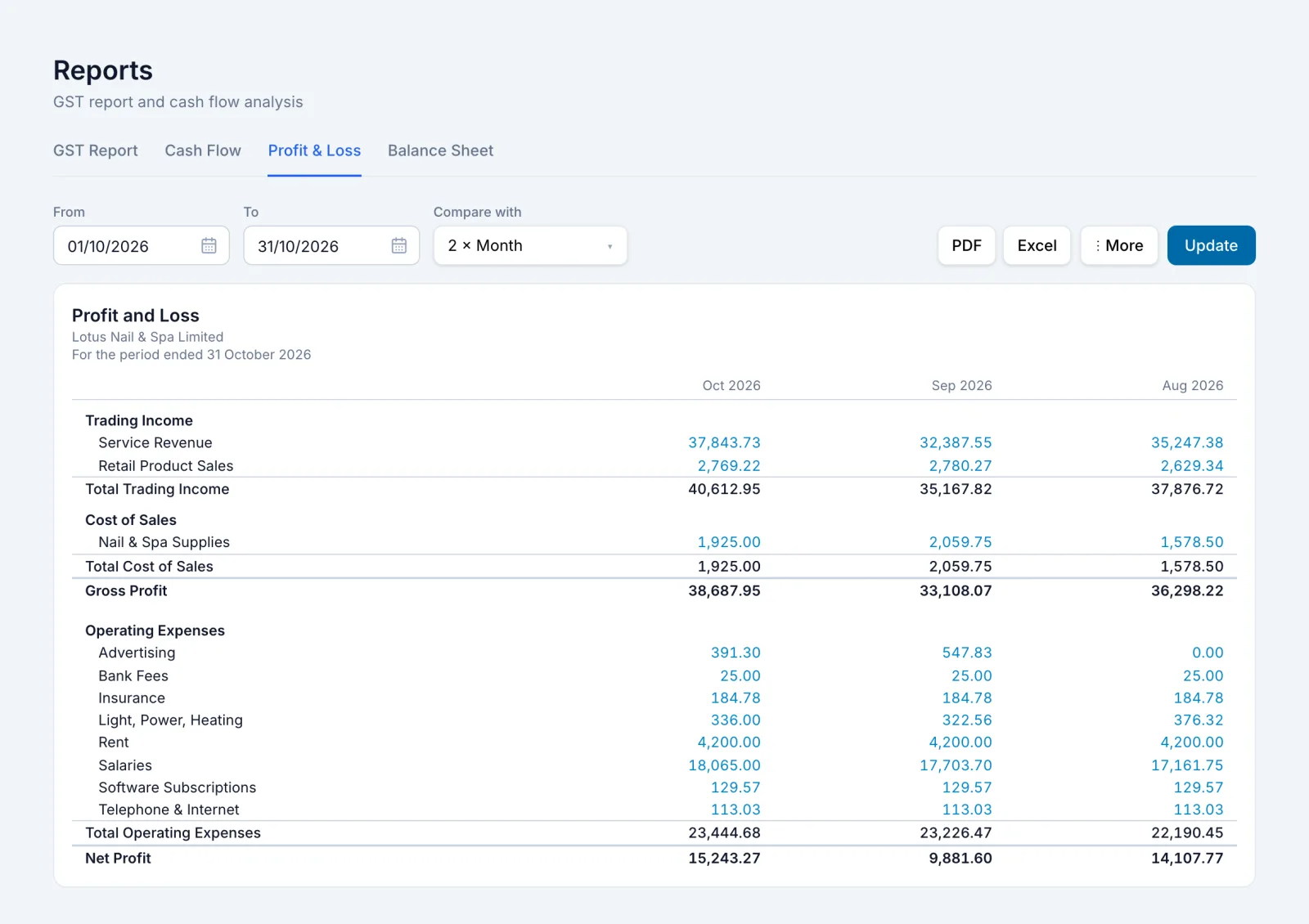
Real screens of the app, with a sample salon's data.
Bring the whole salon into one app
Create an account in minutes, or look through the screen-by-screen guide first.